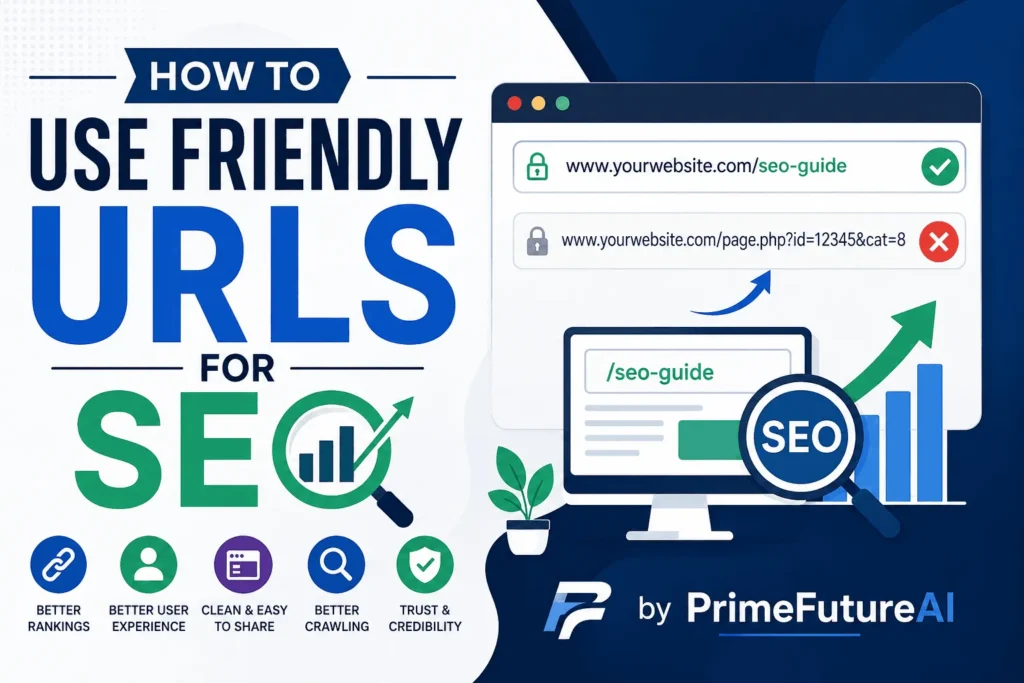
A website URL is more than just a web address. It gives visitors and search engines an idea of what a page is about before they open it. A clear, simple URL can make a website easier to navigate, share, understand and manage.
If you are learning how to use friendly URLs, the basic idea is simple: create web addresses that are short, descriptive, readable and relevant to the page content. For example, a URL such as example.com/seo-tips is much easier to understand than example.com/page?id=58392.
Friendly URLs can support a well-organized website and improve the overall user experience. Google also recommends using descriptive words, logical URL structures, hyphens between words, and as few unnecessary parameters as possible.
This guide explains how to use friendly URLs, why they matter, common mistakes, practical examples and how businesses can build a stronger online presence with better website practices.
What Are Friendly URLs?
A friendly URL is a web address designed to be easy for people to read and understand.
For example:
Friendly URL:
example.com/digital-marketing-services
Less-friendly URL:
example.com/page.php?id=7284&cat=12
The first URL immediately communicates the topic of the page. The second contains technical information that does not tell visitors much about the content.
A good URL should make sense even when someone sees it without opening the page. It should provide a useful clue about what they will find after clicking.
Why Are Friendly URLs Important?
Understanding how to use friendly URLs is useful for both users and website owners. A clean URL structure can make your website easier to manage and can help search engines understand your pages.
1. They Improve User Understanding
Visitors can often understand a page topic simply by looking at its URL.
For example:
website.com/blog/wordpress-speed-tips
is immediately understandable.
A complicated address such as:
website.com/blog/post.php?ref=782&cat=18
does not provide the same clarity.
2. They Make Links Easier to Share
Short, descriptive URLs are easier to copy, remember and share through social media, emails, messages, and other channels.
Imagine telling someone to visit:
example.com/seo/audit-guide
instead of asking them to copy a long string of numbers, symbols, and parameters.
3. They Support Better Site Organization
URLs can reflect the structure of your website.
For example:
example.com/services/seo
example.com/services/content-writing
example.com/services/technical-seo
This structure makes it easier to understand how individual pages relate to a broader category.
Google recommends organizing websites logically because clear organization can help users and search engines understand how pages relate to each other.
4. They Can Help Search Engines Understand Page Topics
A descriptive URL gives search engines additional context about a page.
For example:
example.com/blog/how-to-improve-page-speed
contains words that describe the subject of the article.
However, a friendly URL is not a magic ranking trick. SEO depends on many factors, including useful content, website accessibility, internal links, technical quality and overall relevance.
How to Use Friendly URLs Correctly?
Now let’s look at the practical process of how to use friendly URLs on a website.
1. Keep URLs Short and Meaningful
Avoid unnecessary words and complicated structures.
Instead of:
example.com/blog/this-is-a-complete-guide-to-learning-seo-for-beginners
consider:
example.com/blog/seo-guide-for-beginners
The second version communicates the topic with fewer words.
A URL does not need to include every keyword related to a page. Focus on the main subject.
2. Use Descriptive Words
A visitor should have a reasonable idea of what the page contains by reading its URL.
For example:
example.com/services/web-design
is better understood than:
example.com/services/service-14
Google recommends descriptive URLs rather than URLs made primarily from random identifiers.
3. Use Hyphens Between Words
When creating URLs, use hyphens to separate words.
Recommended:
example.com/seo-content-writing
Less desirable:
example.com/seo_content_writing
Poor readability:
example.com/seocontentwriting
Google specifically recommends hyphens rather than underscores for separating words in URLs.
4. Use Lowercase URLs
Using lowercase consistently can prevent confusion.
For example, choose:
example.com/seo-services
rather than mixing:
example.com/SEO-Services
and:
example.com/seo-services
URLs can be case-sensitive, so consistent lowercase formatting is a sensible practice.
5. Include the Main Topic Naturally
If appropriate, include the main topic of the page in the URL.
For an article about local SEO, a suitable URL could be:
example.com/blog/local-seo-guide
There is no need to repeat the same keyword several times:
example.com/blog/local-seo-local-seo-services-local-seo-guide
Keyword stuffing makes URLs look unnatural and can reduce readability.
6. Avoid Unnecessary Numbers
Random numbers usually do not help visitors understand a page.
For example:
example.com/blog/458921
is difficult to interpret.
A clearer alternative is:
example.com/blog/seo-trends
If numbers are genuinely important, such as a product model or year-specific resource, they can be used when they add meaning.
7. Avoid Unnecessary URL Parameters
Some websites generate URLs containing multiple parameters.
For example:
example.com/products?category=12&sort=price&session=83729
Parameters can be useful when they serve a real technical purpose, but unnecessary parameters can make URLs complicated and may create multiple URLs that lead to similar content. Google recommends minimizing unnecessary parameters.
8. Create a Logical Folder Structure
A website can use directories to group related content.
For example:
example.com/services/seo
example.com/services/web-design
example.com/blog/seo-tips
This creates a clear relationship between categories and pages.
For larger websites, logical directories can also help search engines understand how content is organized.
Friendly URL Examples
Here are some practical examples showing the difference.
| Page Type | Less Friendly | Friendly |
| SEO Guide | /post?id=245 | /blog/seo-guide |
| Web Design | /page.php?service=18 | /services/web-design |
| Contact Page | /page?id=8 | /contact |
| Keyword Research | /article/92736 | /blog/keyword-research-guide |
| Digital Marketing | /services?cat=04 | /services/digital-marketing |
These examples show how descriptive URLs can communicate information more clearly.
Real-Life Example: A Local Service Business
Imagine a company that provides website design services.
Its old URL might look like:
business.com/page.php?id=37
A visitor cannot immediately tell what the page is about.
The company changes it to:
business.com/services/website-design
Now the URL clearly communicates the page topic.
The business can also create related URLs such as:
business.com/services/seo
business.com/services/content-writing
business.com/services/technical-seo
This creates a cleaner structure for both visitors and the business’s content management process.
Real-Life Example: An Online Store
Consider an online store selling clothing.
A complicated product URL might be:
shop.com/product?id=458&cat=9&color=2
A cleaner URL could be:
shop.com/products/black-cotton-shirt
The second address is easier to understand and share.
For ecommerce websites, URL planning becomes particularly important because filters, sorting options, and product variations can sometimes generate many different URLs. Google recommends minimizing alternative URLs that return the same content and using descriptive words in URL paths.
Real-Life Example: A Blog
Suppose a blog publishes an article about improving website speed.
Instead of:
blog.com/article/2026/08/21?id=73482
a cleaner version could be:
blog.com/blog/improve-website-speed
The reader can immediately identify the subject.
If the article later changes, the URL can remain stable when there is no need to include a specific date.
Friendly URLs and Internal Linking
URL structure should work together with internal linking.
Suppose a website has a page called:
example.com/services/technical-seo
Other relevant pages can naturally link to it using descriptive anchor text.
Google explains that internal links can help users and search engines discover other pages and understand what those pages are about.
A strong website structure might look like:
Home → Services → SEO → Technical SEO
This creates a logical path for users and search engines.
How to Use Friendly URLs in WordPress?
If your website uses WordPress, creating readable URLs is usually straightforward.
Step 1: Choose a Suitable Permalink Structure
In WordPress, choose a permalink format that creates understandable URLs rather than unnecessary technical identifiers.
Step 2: Create a Clear Slug
The slug is the part of the URL that identifies the individual page or post.
For an article titled “How to Improve Website Speed,” a suitable slug could be:
improve-website-speed
Step 3: Remove Unnecessary Words
You generally do not need to put every word from the title into the URL.
Title:
How to Improve Your Website Speed for Better Performance?
Possible slug:
improve-website-speed
Step 4: Check the URL Before Publishing
Read the URL as if you were a visitor.
Ask:
- Is it easy to understand?
- Does it describe the page?
- Is it unnecessarily long?
- Does it contain strange characters?
- Are the words separated clearly?
- Does it match the website structure?
What to Do When Changing Existing URLs?
Changing an existing URL should be handled carefully.
If a page already receives visitors, backlinks, or search traffic, simply changing the URL can create broken links.
When a URL needs to change, use an appropriate permanent redirect from the old address to the new preferred address.
For pages with duplicate versions, Google also recommends consolidating URLs where appropriate and using redirects or canonical signals when necessary.
After changing URLs, check internal links, redirects, sitemap entries, and important external references.
Common Friendly URL Mistakes
Using Too Many Keywords
Do not create URLs that repeat keywords unnaturally.
Bad:
example.com/seo/seo-services/seo-company/seo-expert
Better:
example.com/services/seo
Making URLs Too Long
A URL should contain enough information to explain the page, but not every detail.
Using Random Characters
Avoid unnecessary strings such as:
/page/8f73k29x92
when a descriptive slug is possible.
Using Inconsistent Formatting
Avoid having some pages use uppercase letters, others lowercase letters, and others mixed formatting.
Changing URLs Frequently
Do not change URLs simply because you found a slightly different wording. A stable URL structure is easier to manage.
Ignoring Redirects
When old URLs are replaced, failing to redirect important pages can lead visitors to error pages.
Friendly URLs Are Only One Part of SEO
Knowing how to use friendly URLs is valuable, but URLs alone cannot make a website successful.
A strong SEO strategy also includes:
- Helpful and original content
- Mobile-friendly design
- Fast website performance
- Clear navigation
- Internal linking
- Technical SEO
- Proper indexing
- Relevant keywords
- High-quality backlinks
- Useful page titles and descriptions
- Structured data where appropriate
Google’s SEO guidance emphasizes creating useful, well-organized, easy-to-read content rather than relying on a single optimization technique.
How PrimeFutureAI Helps Businesses Online?
PrimeFutureAI can help businesses improve their online presence through practical SEO and digital marketing strategies.
A business website needs more than attractive pages. Its structure, content, technical setup, search visibility, and user experience should work together.
PrimeFutureAI can support businesses with areas such as:
SEO Strategy
A clear SEO strategy can help businesses identify relevant search opportunities and create content around topics their audiences actually care about.
Website Optimization
Website structure can be reviewed to identify problems with navigation, URLs, page organization, speed, and other technical elements.
Content Optimization
Existing content can be improved so that pages are easier to read, more useful to visitors, and better aligned with relevant search intent.
Technical SEO
Technical improvements can help search engines crawl and understand a website more efficiently. This may include URL structure, indexing, redirects, internal links, and other technical elements.
Long-Term Online Growth
Rather than focusing on one isolated SEO task, businesses can build a consistent online presence through useful content, technical improvements, and ongoing optimization.
A Simple Friendly URL Checklist
Before publishing a page, review the URL using this checklist:
- Is the URL easy to read?
- Does it describe the page?
- Is it reasonably short?
- Are words separated with hyphens?
- Is lowercase formatting used consistently?
- Have unnecessary numbers been removed?
- Have unnecessary parameters been avoided?
- Does the URL fit the website’s structure?
- Is the main topic represented naturally?
- If an existing URL was changed, has the old URL been redirected properly?
FAQs About How to Use Friendly URLs
Q: What is a friendly URL?
A friendly URL is a simple, readable web address that clearly communicates what a webpage is about. It normally uses descriptive words instead of confusing strings of numbers or technical parameters.
Q: How to use friendly URLs for SEO?
Use short, descriptive URLs that accurately represent the page topic. Separate words with hyphens, keep formatting consistent, avoid unnecessary parameters, and organize URLs logically.
Q: Should URLs contain keywords?
Relevant keywords can be included naturally when they help describe the page. However, avoid repeating keywords or creating URLs that look spammy.
Q: Should URL words be separated by hyphens?
Yes. Hyphens are recommended for separating words in URLs because they make the address easier to read and help search engines distinguish individual words.
Q: Should URLs be lowercase?
Using lowercase consistently is a good practice because URLs can be case-sensitive. A consistent format also reduces the possibility of accidentally creating different URL versions.
Q: Are long URLs bad for SEO?
A long URL is not automatically harmful, but unnecessary length can make URLs harder to understand, share, and manage. It is generally better to remove words and parameters that do not add useful meaning.
Q: Should I change my old URLs?
Not necessarily. If an existing URL works well, changing it only for SEO may create unnecessary complications. If you do change an important URL, use proper redirects and update internal links.
Q: Can friendly URLs improve rankings?
Friendly URLs can provide useful context and improve usability, but they are only one part of SEO. High-quality content, technical accessibility, links, relevance, and user experience also matter.
Q: Are friendly URLs important for ecommerce websites?
Yes. Ecommerce websites can have thousands of products and numerous filtering or sorting combinations. A thoughtful URL structure can help reduce unnecessary URL variations and keep product pages organized.
Conclusion
Learning how to use friendly URLs is an important part of building a clean and search-friendly website. The best URLs are easy for people to understand, describe the page accurately, use hyphens between words, avoid unnecessary complexity, and fit naturally into the overall website structure.
A good URL will not replace quality content or a complete SEO strategy. However, when URL structure, content, internal linking, technical SEO, and website usability are handled together, a website becomes easier to navigate and easier for search engines to understand.
For businesses working to improve their online visibility, creating clean URLs is a simple but valuable step toward building a more organized and professional website.