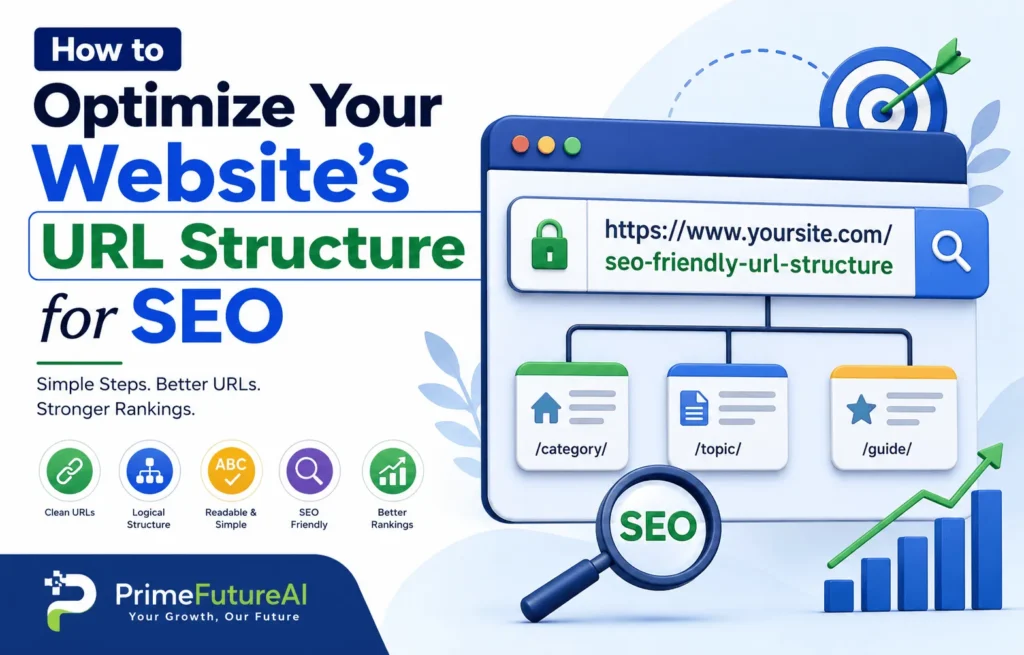
A website URL is more than just an address that takes visitors to a webpage. A well-planned URL structure can make your website easier to understand, navigate, crawl, and manage. It can also give users a quick idea of what they will find on a page before they click.
When URLs are messy, extremely long, filled with unnecessary numbers, or overloaded with parameters, both users and search engines may have a harder time understanding the website. Google recommends using simple, logical, human-readable URLs and descriptive words whenever possible.
The good news is that creating SEO-friendly URLs does not require complicated technical skills. With a consistent structure and a few practical rules, you can build URLs that support your overall SEO strategy.
In this guide, you will learn how to optimize your website’s URL structure for SEO, common mistakes to avoid, real-life examples, and how PrimeFutureAI can help businesses improve their online presence.
What Is a URL Structure?
A URL, or Uniform Resource Locator, is the web address used to access a specific page.
For example:
https://primefutureai.com/seo-services
A URL generally contains several parts, including the protocol, domain name, and path.
For SEO purposes, the path is especially important because it can describe what the page is about.
For example:
Less descriptive:
https://primefutureai.com/page?id=84729
More descriptive:
https://primefutureai.com/seo-services
The second URL is easier for a visitor to understand because the words immediately communicate the subject of the page.
Google recommends using readable words instead of unnecessarily complicated identifiers in URLs.
Why URL Structure Matters for SEO?
URL structure is only one part of SEO, so changing a URL alone will not automatically push a page to the top of search results. However, a clean structure can support better crawling, organization, usability, and content understanding.
1. URLs Help Users Understand a Page
Imagine seeing these two URLs:
primefutureai.com/blog/seo/url-structure
and
primefutureai.com/blog/post.php?id=59284
The first one immediately provides context. A visitor can reasonably expect information about SEO and URL structure.
A descriptive URL can therefore improve clarity before someone even opens the page.
2. URLs Help Search Engines Understand Content
Words within URLs can provide additional context about the page. Google specifically recommends descriptive URLs because they can help users and search engines understand what a page represents.
This does not mean you should fill URLs with keywords. The goal is to create a natural, useful description of the page.
3. Clean URLs Improve Website Organization
A logical URL system can make a large website easier to manage.
For example:
primefutureai.com/services/seo
primefutureai.com/services/content-marketing
primefutureai.com/services/link-building
This structure makes it easier for visitors and website administrators to understand how different pages relate to each other.
4. Better URLs Can Support Usability
URLs are often copied into emails, social media posts, documents, messages, and other websites.
A short, readable URL is generally easier to recognize and share than a long string of random characters.
How to Create an SEO-Friendly URL Structure?
1. Keep URLs Simple and Descriptive
Your URL should communicate the main topic of the page without unnecessary information.
For example:
Good:
Less useful:
primefutureai.com.com/index.php?id=3948&category=17
A simple URL gives users an immediate idea about the destination.
Google recommends creating simple URL structures that are logical and understandable to humans.
2. Use Relevant Keywords Naturally
Including the primary topic in the URL can help describe the page.
For example, if your article is about technical SEO audits:
primefutureai.com/technical-seo-audit
is more meaningful than:
primefutureai.com/article-12345
However, avoid repeating keywords unnecessarily.
Avoid:
primefutureai.com/seo/seo-services/seo-company-best-seo-services
Better:
primefutureai.com/seo-services
The URL should describe the page, not attempt to manipulate search engines.
3. Use Hyphens Between Words
Use hyphens to separate words.
Recommended:
Less desirable:
primefutureai.com/seo_tips
Google recommends hyphens rather than underscores as word separators in URLs because they make concepts easier to identify.
4. Keep URLs Relatively Short
There is no universal character limit that makes a URL automatically SEO-friendly. Instead of obsessing over an exact number, remove unnecessary words and information.
For example:
primefutureai.com/blog/how-to-optimize-your-website-url-structure-for-seo
could potentially become:
primefutureai.com/seo-friendly-url-structure
The second version is easier to remember while still describing the topic.
5. Use Lowercase URLs Consistently
URLs can be case-sensitive. Google notes that /APPLE and /apple can be treated as different URLs.
For consistency, many websites use lowercase URLs.
Recommended:
primefutureai.com/seo-services
Avoid mixing formats:
primefutureai.com/SEO-Services
primefutureai.com/Seo-Services
primefutureai.com/seo-services
A consistent lowercase format reduces confusion and makes URL management easier.
6. Avoid Unnecessary Numbers
Numbers are not automatically bad. They can be useful when they have genuine meaning.
However, random IDs often make URLs harder to understand.
Less descriptive:
primefutureai.com/blog/847293
Better:
primefutureai.com/blog/technical-seo-guide
If the number is an important part of the content, such as a product model or year-specific resource, it may be appropriate to keep it.
7. Avoid Unnecessary URL Parameters
Parameters can be useful for certain website functions, especially ecommerce filtering and sorting. However, unnecessary parameters can create large numbers of URLs containing similar or duplicate content.
Google warns that overly complex URLs can create crawling challenges, particularly when many different URLs lead to identical or similar pages.
For example:
primefutureai.com/products?color=blue&size=large&sort=price&session=82736
may be necessary for some website functions, but unnecessary parameters should not be added simply because a platform generates them.
8. Create a Logical Website Hierarchy
A URL can reflect the logical organization of your website.
For example:
primefutureai.com/services/seo
primefutureai.com/services/content-marketing
primefutureai.com/services/web-design
For a blog:
primefutureai.com/blog/seo-tips
primefutureai.com/blog/link-building
primefutureai.com/blog/technical-seo
This type of structure can make a website easier to understand and maintain.
However, you do not need to create extremely deep URL paths just to represent every level of your navigation.
9. Match the URL With the Page Topic
The URL should accurately represent the content.
Suppose your page is titled:
Technical SEO Audit Guide
A suitable URL could be:
primefutureai.com/technical-seo-audit
A poor URL would be:
primefutureai.com/digital-marketing-tips
if the page does not actually focus on digital marketing tips.
Consistency between the page topic and URL improves clarity.
10. Avoid Keyword Stuffing
One common mistake is trying to place every possible keyword inside the URL.
For example:
primefutureai.com/best-seo-company-seo-services-seo-agency-seo-expert
This looks unnatural and does not create a better user experience.
Instead, choose the primary topic:
primefutureai.com/seo-services
A clean URL is generally more useful than a keyword-heavy one.
How to Handle Existing URLs?
One of the biggest mistakes website owners make is changing URLs unnecessarily.
If an existing page already receives traffic, backlinks, or search visibility, changing its URL can create additional work and potential problems.
Before changing a URL, determine whether there is a genuine reason.
- A URL change may make sense when:
- The current URL is confusing.
- The URL contains unnecessary information.
- The website is being reorganized.
- A page has been permanently moved.
- The current URL does not accurately describe the content.
- Multiple URLs need to be consolidated.
When a page permanently moves, use an appropriate permanent redirect from the old URL to the new URL. Google explains that redirects are useful when pages move, websites are merged, or outdated URLs need to point to replacement pages.
Avoid Redirect Chains
Suppose you have:
old-page → new-page → final-page
This creates a chain.
It is generally better to redirect the original URL directly to the final destination.
old-page → final-page
This makes the migration cleaner and easier to manage.
Use Canonical URLs for Duplicate Versions
Sometimes the same or very similar content can be accessible through multiple URLs.
For example:
primefutureai.com/product
and
primefutureai.com/product?color=blue
Depending on how the website works, these may represent the same or substantially similar content.
A canonical URL can communicate which version you consider the preferred URL.
Google describes redirects, rel=”canonical”, and sitemap inclusion as signals that can help with canonicalization.
Canonicalization is especially useful for websites that have:
- Ecommerce filters
- Sorting parameters
- Tracking parameters
- Multiple versions of similar pages
- Duplicate content variations
The correct implementation depends on how the website is built.
URL Structure for Ecommerce Websites
Ecommerce websites can have thousands or even millions of URLs, making URL organization particularly important.
Consider:
primefutureai.com/products/black-running-shoes
This is clearer than:
primefutureai.com/product?id=98472
Google’s ecommerce guidance also recommends descriptive words in URL paths and minimizing alternative URLs that return the same content.
For categories, you might use:
primefutureai.com/running-shoes
For a product:
primefutureai.com/running-shoes/black-running-shoes
The exact structure should depend on the website’s inventory and navigation system. The most important thing is to establish a consistent pattern.
Real-Life Example: Improving a Business Website
Imagine a digital marketing company has this URL:
primefutureai.com/services/page.php?id=482
A visitor cannot immediately tell what the page offers.
The business could use:
primefutureai.com/seo-services
Now the destination is obvious.
Another page might originally use:
primefutureai.com/blog/post-8392
It could become:
primefutureai.com/blog/technical-seo-guide
The improved URLs are easier to understand, share, and organize.
However, if these pages already exist and have valuable backlinks, the company should not simply delete the old URLs. It should plan the migration carefully and use redirects where appropriate.
Real-Life Example: Ecommerce URL Cleanup
Imagine an online clothing store has product URLs such as:
primefutureai.com/product.php?id=72819
The store could adopt a descriptive format such as:
primefutureai.com/womens-jackets/black-winter-jacket
Now the URL communicates both the product category and product topic.
If the website later changes its URL structure, existing URLs should be mapped to the correct new destinations instead of creating unnecessary broken links.
Common URL Mistakes to Avoid
Using Random IDs
Random numbers provide little context to users.
Using Underscores
Prefer hyphens for separating words in URLs.
Creating Extremely Long URLs
Remove unnecessary words, folders, parameters, and repeated phrases.
Changing URLs Too Frequently
A stable URL structure is easier to manage than constantly changing page addresses.
Ignoring Redirects
If an important URL changes, make sure the old address is properly redirected where appropriate.
Creating Duplicate URLs
Multiple URLs pointing to the same content can make site management and crawling more complicated.
Using Inconsistent Capitalization
Choose one format and stick with it.
Adding Keywords That Do Not Match the Content
Every part of the URL should have a logical relationship with the page.
URL SEO Checklist
Before publishing a new page, ask:
- Is the URL descriptive?
- Does it clearly communicate the page topic?
- Is it reasonably short?
- Does it use hyphens between words?
- Is it lowercase?
- Does it avoid unnecessary parameters?
- Does it avoid random IDs where possible?
- Does it accurately represent the content?
- Is the URL structure consistent with the rest of the website?
- If replacing an existing URL, is the redirect plan ready?
- If duplicate versions exist, has canonicalization been considered?
- Is the preferred URL included consistently in internal links?
This simple process can prevent many URL-related problems.
How PrimeFutureAI Helps Businesses Improve Their Online Presence?
A strong URL structure is only one part of a successful SEO strategy. Businesses also need useful content, technical optimization, keyword research, on-page improvements, internal linking, and a website structure that supports users and search engines.
PrimeFutureAI helps businesses build a stronger online presence through SEO and digital marketing solutions designed around their website goals.
Its work can include areas such as:
SEO Strategy
A structured SEO approach can help businesses identify opportunities, improve website visibility, and create a more organized search strategy.
On-Page SEO
PrimeFutureAI can help businesses improve page titles, headings, content structure, internal links, URLs, and other on-page elements.
Technical SEO
Technical issues involving crawling, indexing, redirects, duplicate pages, site architecture, and other website elements can affect search performance. Technical SEO helps identify and resolve these problems.
Content Strategy
A website needs useful content that answers real customer questions. PrimeFutureAI can help businesses develop content ideas and SEO-focused content strategies around relevant topics.
Link Building
Relevant backlinks can help strengthen a website’s authority and discoverability. A carefully planned link-building strategy can complement quality content and technical SEO.
Website Growth
Instead of focusing on a single ranking factor, businesses can combine technical improvements, content, website optimization, and digital marketing to build sustainable online visibility.
For a business owner, this means URL optimization should not be viewed as an isolated task. It should fit naturally into the overall website and SEO strategy.
Final Thoughts
Learning how to optimize your website’s URL structure for SEO is relatively simple, but consistency matters.
Use clear words, separate terms with hyphens, keep URLs concise, use lowercase formatting, avoid unnecessary parameters, and create a logical structure that reflects your website’s content. Google specifically recommends simple, descriptive URLs and warns that unnecessarily complex URL structures can create crawling and indexing challenges.
Most importantly, do not change established URLs simply for the sake of making them shorter. When changes are necessary, plan redirects and canonical signals carefully so valuable pages, links, and visitors are not unnecessarily lost.
A clean URL structure gives your website a stronger organizational foundation. Combined with useful content, technical SEO, internal linking, and a good user experience, it can contribute to a healthier and easier-to-manage website.
FAQs About SEO-Friendly URL Structure
1. What is an SEO-friendly URL?
An SEO-friendly URL is a clear, descriptive web address that accurately represents the page content. It normally avoids unnecessary parameters, random identifiers, excessive length, and confusing structures.
2. Should keywords be included in URLs?
Relevant keywords can be included naturally when they accurately describe the page. However, keyword stuffing should be avoided.
3. Should URLs use hyphens or underscores?
Hyphens are recommended for separating words in URLs. Google specifically recommends hyphens rather than underscores.
4. Should URLs be lowercase?
Using lowercase URLs consistently is a good practice because URLs can be case-sensitive. It helps prevent confusion between different URL versions.
5. How long should an SEO URL be?
There is no universal character limit that guarantees SEO success. The practical goal is to make the URL as concise as possible while keeping it descriptive and useful.
6. Should I change old URLs to make them SEO-friendly?
Not always. If an existing URL is performing well, changing it may create unnecessary risk. If you do change it, properly redirect the old URL to the new one.
7. Do URLs directly improve Google rankings?
URL structure is not a magic ranking factor. Its value comes from helping users and search engines understand and navigate your website while reducing unnecessary URL complexity.
8. What should I do if multiple URLs show the same content?
Review whether the URLs are genuinely necessary. Where appropriate, use redirects or canonical signals to identify the preferred version. Google recommends canonicalization methods such as redirects, rel=”canonical”, and sitemap signals.
9. Should every URL contain the target keyword?
No. A URL should describe the page naturally. It does not need to contain every keyword associated with the topic.
10. Can URL structure affect website crawling?
Yes. Google states that overly complex URLs, especially those involving many parameters or duplicate variations, can create unnecessary crawling and indexing challenges.