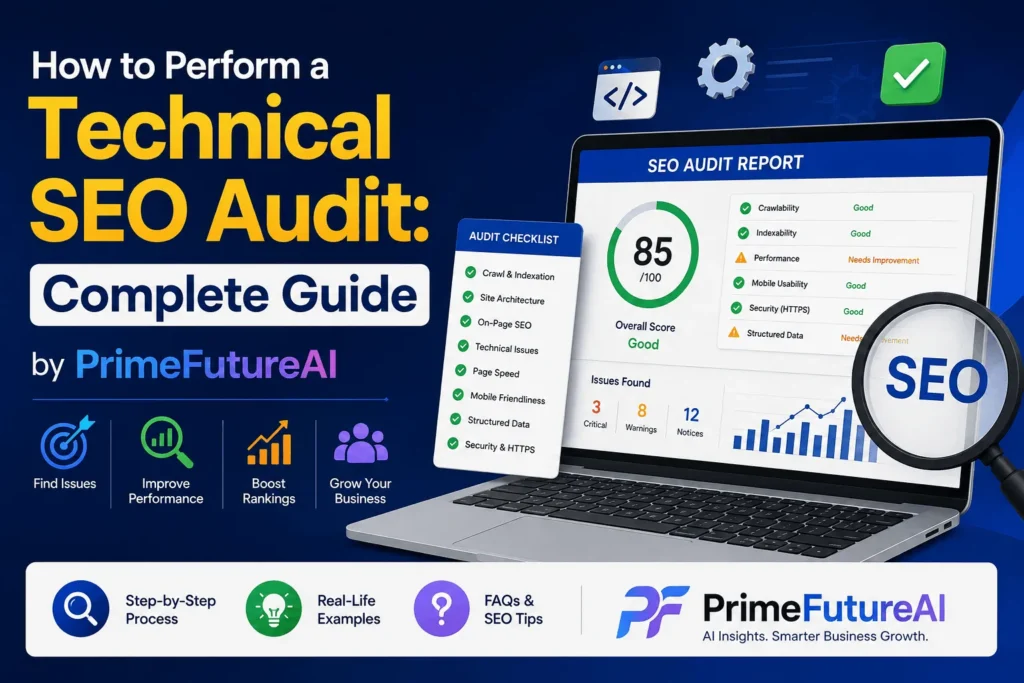
A website can have excellent content, attractive design, and a strong brand, but still struggle to appear in search results if its technical foundation is weak. Search engines need to be able to discover, crawl, render, understand, and index your important pages. That is why a technical SEO audit is an important part of maintaining a healthy website.
A technical SEO audit is a systematic review of the technical elements that can influence a website’s search visibility. It helps identify problems such as blocked pages, broken links, incorrect redirects, duplicate URLs, slow-loading pages, indexing problems, poor mobile performance, and structured-data errors.
Google’s technical requirements emphasize three basic conditions for eligibility: Googlebot must be able to access the page, the page should return a successful response, and it should contain indexable content. Meeting those requirements does not guarantee rankings or indexing, but failing them can prevent important pages from performing in search.
This guide explains how to perform a technical SEO audit step by step, with practical examples that businesses can understand and apply.
What Is a Technical SEO Audit?
A technical SEO audit is an examination of the technical health of a website from a search-engine perspective.
Instead of asking, “Is my content good?”, a technical SEO audit asks questions such as:
- Can search engines access my website?
- Can they discover my important pages?
- Are the correct pages being indexed?
- Are there duplicate versions of important URLs?
- Are redirects working correctly?
- Does the website work well on mobile devices?
- Are pages loading quickly?
- Can search engines understand important structured data?
- Are internal links helping search engines discover important pages?
- Are JavaScript-dependent pages being rendered correctly?
Think of your website as a physical store. Content is the merchandise, while technical SEO is the building, entrance, signs, electricity, and layout. If customers cannot enter the building, having excellent products will not help much.
Why Is a Technical SEO Audit Important?
Technical SEO problems can remain hidden for months. A website owner may continue publishing articles while an important technical problem prevents search engines from properly accessing or indexing those pages.
For example, imagine an online clothing store publishes 200 product pages. The pages contain optimized product descriptions and high-quality images. However, a development change accidentally adds a noindex directive to the product template.
The business may continue investing in SEO without realizing that its main commercial pages are being excluded from search.
A technical audit can uncover this type of problem before significant organic traffic and revenue are lost.
Google also recommends using tools such as Search Console’s URL Inspection and indexing reports to understand how Google accesses individual URLs and groups of pages.
How to Perform a Technical SEO Audit
A good audit should follow a logical sequence. Start with accessibility and indexation, then move toward performance, architecture, structured data, and ongoing monitoring.
1. Crawl the Website
The first step is to crawl your website.
A crawler works somewhat like a search-engine bot. It visits URLs, follows links, and collects information about pages, status codes, titles, canonicals, directives, links, and other technical elements.
Popular crawling tools include:
- Screaming Frog
- Sitebulb
- Semrush Site Audit
- Ahrefs Site Audit
- Google Search Console
For a small website, you may be able to review important pages manually. For larger websites, crawling software can save significant time.
During the crawl, look for:
- Broken pages
- Redirect chains
- Redirect loops
- Missing titles
- Duplicate titles
- Missing canonical tags
- Pages with no internal links
- Non-indexable pages
- Excessively deep pages
- Broken internal links
Real-Life Example
Suppose a local law firm has 150 website pages. A crawl discovers that 27 old service pages return 404 errors, while several internal links still point toward them.
A visitor clicking those links reaches an error page instead of useful information. Search-engine crawlers also encounter unnecessary dead ends.
The solution could involve updating internal links, redirecting genuinely relocated pages, or removing obsolete links where appropriate.
2. Check Robots.txt
The robots.txt file provides crawling instructions to search-engine bots.
You can usually find it at:
yourdomain.com/robots.txt
The goal is not simply to make everything crawlable. The goal is to ensure that important pages and resources are not accidentally blocked.
Google explains that robots.txt is primarily a crawling control mechanism. It should not be treated as the preferred way to prevent a page from appearing in search; noindex is generally the appropriate mechanism when a page needs to be excluded from indexing while remaining crawlable.
What to Check
Look for:
- Important folders accidentally disallowed
- Entire websites blocked by a staging rule
- Important JavaScript or CSS resources blocked
- Incorrect sitemap references
- Rules that conflict with your SEO strategy
Real-Life Example
An e-commerce website launches a new version after development. The developer forgets to remove:
Disallow: /
That single configuration can prevent search engines from crawling the entire website.
A technical SEO audit would immediately flag this as a critical issue.
3. Audit the XML Sitemap
An XML sitemap helps search engines discover important URLs.
Check whether your sitemap:
- Exists
- Loads correctly
- Is submitted in Google Search Console
- Contains important URLs
- Excludes unnecessary URLs
- Contains canonical URLs
- Avoids deleted pages
- Avoids URLs that redirect
- Is updated when important content changes
Google notes that sitemaps can help search engines discover and prioritize important pages, particularly on websites with frequently changing content or pages that are difficult to discover through normal links.
A sitemap should not become a dumping ground for every URL generated by a CMS.
Example
Imagine a real-estate website has 20,000 URLs, but only 2,000 represent genuine property and informational pages.
If the sitemap contains thousands of expired listings, parameter URLs, redirects, and duplicate pages, it becomes much less useful.
The better approach is to maintain a clean sitemap containing the URLs the business actually wants search engines to discover and consider.
4. Review Indexing
Next, determine which pages search engines can actually index.
Google Search Console is particularly useful for this step.
Look for issues such as:
- Pages blocked by robots.txt
- Pages with
noindex - Crawled but currently not indexed pages
- Discovered but currently not indexed pages
- Duplicate pages
- Soft 404 pages
- Redirect-related exclusions
Do not automatically assume every excluded URL is a problem. Some exclusions are intentional.
For example, a login page does not normally need to appear in organic search.
The key question is:
Are the pages that matter to the business indexed correctly?
5. Check Canonical Tags
Canonical tags help communicate the preferred version of a URL when multiple URLs contain similar or duplicate content.
For example:
https://example.com/product/shoes
and
https://example.com/product/shoes?color=black
may represent variations of the same underlying product.
A canonical strategy helps search engines understand which URL should be treated as the primary version.
During an audit, check for:
- Missing canonicals where needed
- Incorrect canonical URLs
- Canonicals pointing to redirected URLs
- Canonicals pointing to 404 pages
- Conflicting canonical signals
- Non-canonical URLs included in XML sitemaps
Real-Life Example
An online store has thousands of product-filter URLs generated by color, size, brand, and price.
If every combination creates a separate crawlable URL, the website can accumulate enormous numbers of near-duplicate pages.
A technical SEO audit can identify the URL patterns and help the business establish a more controlled indexation and canonicalization strategy.
6. Examine HTTP Status Codes and Redirects
Every important URL should return the appropriate HTTP response.
Common status codes include:
- 200: Page successfully loaded
- 301: Permanent redirect
- 302: Temporary redirect
- 404: Page not found
- 410: Content permanently removed
- 5xx: Server-side error
One common technical SEO problem is a redirect chain.
For example:
Old URL → Redirect A → Redirect B → Final Page
It is generally cleaner to redirect the old URL directly to the final relevant destination.
Google recommends permanent redirects such as 301 when a page has permanently moved.
Real-Life Example
A company changes its domain and redirects thousands of old URLs. An audit discovers that several URLs go through three or four redirects before reaching the final page.
The development team can simplify those redirects and update internal links so users and crawlers reach the destination more efficiently.
7. Analyze Website Speed and Core Web Vitals
Website performance affects both user experience and search performance.
Core Web Vitals currently focus on:
- LCP — Largest Contentful Paint: How quickly the main content becomes visible
- INP — Interaction to Next Paint: How responsive the page is to user interactions
- CLS — Cumulative Layout Shift: How stable the page layout is while loading
Useful tools include Google Search Console and PageSpeed Insights.
Do not focus only on a single homepage score. Review important page templates, including:
- Homepage
- Service pages
- Product pages
- Blog articles
- Category pages
- Landing pages
- Checkout or other critical user journeys
Real-Life Example
Consider a restaurant website where the hero image is a huge uncompressed file. The page looks beautiful on a desktop computer but takes much longer to load on a mobile connection.
Compressing and properly sizing the image, improving server response, and reducing unnecessary scripts may improve the experience considerably.
8. Test Mobile Experience
Most modern websites need to work effectively on mobile devices.
Check:
- Responsive design
- Font readability
- Navigation
- Buttons and links
- Horizontal scrolling
- Image scaling
- Content parity between desktop and mobile
- Forms
- Pop-ups
- Menu functionality
A technically excellent desktop website can still create problems if its mobile version hides important content or functionality.
Example
An online service company has a “Request a Quote” button prominently displayed on desktop but buried inside a difficult mobile menu.
A technical audit should identify the problem because mobile usability can affect both user experience and conversions.
9. Review Internal Linking
Internal links connect pages within your website.
A strong internal linking structure can help:
- Users discover relevant information
- Search engines discover pages
- Important pages receive internal authority
- Search engines understand relationships between topics
Look for:
- Orphan pages
- Broken internal links
- Excessively deep pages
- Important pages with few internal links
- Irrelevant anchor text
- Navigation problems
Real-Life Example
A software company has a high-value service page generating few leads. The page exists, but only the footer links to it.
The audit reveals that relevant blog posts never link to the service page.
Adding natural contextual internal links from relevant articles can make the page easier to discover and create a clearer path from informational content to commercial content.
10. Check JavaScript and Rendering
Modern websites frequently depend on JavaScript.
The audit should determine whether important content is available to search engines after rendering.
Pay attention to:
- JavaScript-generated content
- Client-side navigation
- Lazy-loaded content
- JavaScript links
- Dynamic product information
- Important elements hidden until interaction
Google recommends verifying how important pages are rendered and ensuring resources needed to understand the page are accessible.
If critical content only appears after a complex browser-side process, investigate whether search engines can reliably access it.
11. Audit Structured Data
Structured data provides additional information about page content.
Depending on the website, relevant structured data may include:
- Organization
- LocalBusiness
- Product
- Article
- Breadcrumb
- Event
- Recipe
- Review-related markup where applicable
The important point is to use structured data accurately. Do not add markup simply because you want a particular search appearance.
For example, a product page should contain product information that genuinely matches what users can see on the page.
12. Review HTTPS and Security
Check whether the website consistently uses HTTPS.
Look for:
- HTTP versions still accessible
- Incorrect HTTPS redirects
- Mixed-content warnings
- Expired certificates
- Insecure resources
- Incorrect canonical URLs using HTTP
Google recommends migrating sites from HTTP to HTTPS.
Security is also important for user trust, especially for websites that process payments, collect leads, or handle customer information.
How to Prioritize Technical SEO Problems?
An audit can produce dozens or even hundreds of findings. Fixing everything simultaneously is usually inefficient.
Instead, classify problems according to impact.
Critical Issues
These can prevent important pages from being crawled or indexed.
Examples:
- Entire site blocked
- Important pages marked
noindex - Major server errors
- Incorrect canonical implementation across key pages
High-Priority Issues
These can significantly affect organic performance or user experience.
Examples:
- Poor Core Web Vitals on important templates
- Large numbers of broken internal links
- Serious redirect problems
- Poor site architecture
Medium-Priority Issues
These should be addressed but may not require immediate emergency work.
Examples:
- Duplicate metadata
- Missing alt text on non-critical images
- Minor URL inconsistencies
Low-Priority Issues
These are useful improvements that can be handled after more important problems are fixed.
The goal of an audit is not to create the longest possible spreadsheet. It is to identify the problems that matter most to the business.
A Simple Technical SEO Audit Workflow
A practical workflow can look like this:
- Crawl the website.
- Review Google Search Console.
- Check robots.txt.
- Validate the XML sitemap.
- Review indexation.
- Check canonical tags.
- Analyze status codes and redirects.
- Review internal links.
- Test mobile usability.
- Analyze Core Web Vitals and page speed.
- Check JavaScript rendering.
- Validate structured data.
- Review HTTPS and security.
- Prioritize findings.
- Create an implementation plan.
- Re-crawl after fixes.
- Monitor organic traffic, indexing, rankings, and conversions.
This process turns an audit from a simple list of errors into an ongoing improvement cycle.
How PrimeFutureAI Helps Businesses Online?
PrimeFutureAI can be positioned as a useful online resource for businesses and digital professionals that want to understand and apply AI and digital strategies more effectively.
Its website describes Prime Future AI as a platform focused on AI tools, guides, tips, and practical information intended to help beginners and experienced users improve productivity and creativity.
For businesses, this type of resource can support several areas of online growth.
Learning About AI Tools
Businesses can explore AI tools and learn how they may fit into everyday workflows.
For example, a small business owner may use AI-assisted tools for brainstorming content ideas, organizing information, researching topics, or improving productivity.
The important principle is to use AI as a support system rather than assuming automation can replace strategy, expertise, or human judgment.
Supporting Content and Digital Marketing
Businesses that publish online content need a consistent process for research, planning, writing, editing, and optimization.
AI resources can help teams discover new approaches and work more efficiently.
For example, a marketing team could use AI to generate initial topic ideas and then have experienced marketers evaluate those ideas against customer needs, search intent, brand positioning, and business goals.
Improving Productivity
AI can also reduce time spent on repetitive tasks.
A business might use AI-assisted workflows to summarize research, organize notes, create initial outlines, brainstorm campaign concepts, or analyze large amounts of information.
This can allow employees to spend more time on strategy, creativity, customer relationships, and decision-making.
Helping Businesses Understand New Digital Trends
The online environment changes quickly. Businesses need to understand developments in AI, SEO, digital marketing, productivity software, and online platforms.
A resource such as PrimeFutureAI can help readers stay informed about tools and emerging digital opportunities.
The best results come when businesses combine those resources with their own industry knowledge and measurable objectives.
Frequently Asked Questions About Technical SEO Audits
Q: How often should I perform a technical SEO audit?
A full audit can be performed periodically, while important technical areas should be monitored continuously. Large websites, e-commerce stores, and frequently updated websites may need more frequent technical reviews.
Q: Can I perform a technical SEO audit myself?
Yes. Small and medium-sized websites can perform many basic checks using Google Search Console, PageSpeed Insights, browser tools, and crawling software.
More complex websites may require developers, SEO specialists, or log-file analysis.
Q: What is the most important part of a technical SEO audit?
There is no single universal issue, but crawlability and indexability are excellent starting points. A page cannot perform organically if search engines cannot properly access or index it.
Q: Does a sitemap improve rankings?
A sitemap does not automatically increase rankings. Its main purpose is to help search engines discover important URLs. Google states that submitting a sitemap does not guarantee that its URLs will be indexed.
Q: Is page speed part of technical SEO?
Yes. Website performance and Core Web Vitals are important parts of modern technical SEO and user experience.
Q: Are broken links always harmful?
Not every broken link has the same impact. A single outdated link may have little significance, while thousands of broken internal links can create serious usability and crawling problems.
Q: Should every page have a canonical tag?
Canonicalization should reflect the website’s URL strategy. Many indexable pages use self-referencing canonicals, while duplicate or alternative URLs may point toward a preferred version. The implementation should be intentional rather than automatic.
Q: Can technical SEO guarantee higher rankings?
No. Technical SEO creates a stronger foundation for search visibility, but rankings also depend on content quality, relevance, competition, authority, user experience, and many other factors.
Final Thoughts
Learning how to perform a technical SEO audit is valuable for any business that depends on organic search traffic.
The best audit is not simply a report filled with errors. It is a practical diagnosis of how well a website can be discovered, crawled, rendered, indexed, understood, and used.
Start with the fundamentals: crawlability, indexation, robots.txt, XML sitemaps, canonical URLs, redirects, internal linking, mobile experience, performance, structured data, JavaScript rendering, and HTTPS.
Then prioritize the problems according to business impact.
For example, fixing a noindex problem on 500 important product pages is likely far more valuable than spending days correcting minor metadata issues on low-value pages.
Finally, remember that technical SEO is not a one-time activity. Websites change whenever developers update templates, marketers publish content, products are added, URLs are moved, plugins are installed, or platforms are migrated.
A regular technical SEO process helps businesses catch those problems early and maintain a website that is easier for both users and search engines to navigate.
When technical SEO is combined with useful content, thoughtful digital marketing, analytics, and appropriate AI tools, businesses have a much stronger foundation for sustainable online growth.