Keyword research is one of the most important parts of SEO. A website can publish excellent content, but if it targets keywords that are extremely competitive or have little search demand, getting organic traffic can be difficult.
The good news is that you do not always need to target broad, high-volume keywords. Low-competition keywords can be a smarter choice, especially for new websites, small businesses, bloggers, and startups. These keywords may have lower search volume, but they can offer a better opportunity to rank and attract visitors who are genuinely interested in a product, service, or topic.
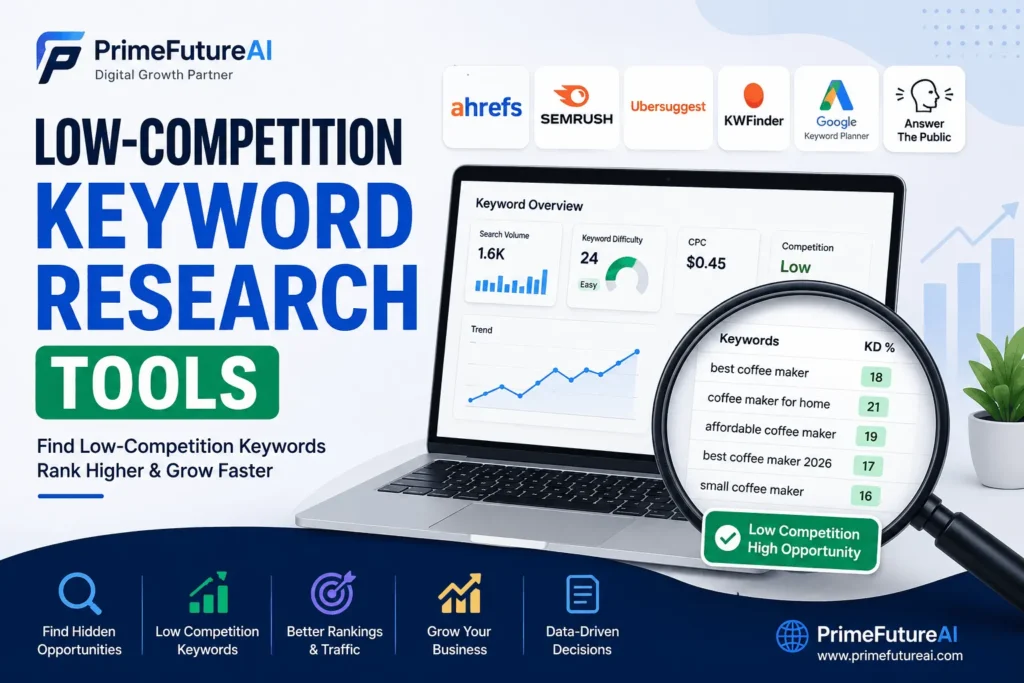
Keyword research tools make this process easier by showing keyword ideas, estimated search volume, competition, keyword difficulty, related queries, search intent, and competitor information. Popular options in 2026 include Ahrefs, Semrush, Google Keyword Planner, Ubersuggest, KWFinder, AnswerThePublic, Google Trends, and Google Search Console.
This guide explains the top keyword research tools and how you can use them to discover keywords with realistic ranking opportunities.
What Are Low-Competition Keywords?
Low-competition keywords are search terms that are comparatively easier to rank for than highly competitive keywords.
For example, imagine you run a small website about home gardening.
A keyword such as “gardening” is extremely broad. It can attract a huge audience, but competing against established websites may be difficult.
Instead, you might research phrases such as:
- “best herbs to grow on a balcony”
- “easy vegetables for small gardens”
- “how to grow mint in pots”
- “best soil for indoor herbs”
These longer and more specific searches may have fewer searches, but they can match a particular user’s needs much better.
The goal is not simply to find keywords with the lowest difficulty score. A useful keyword should also be relevant, searchable, and connected to the user’s intent.
Why Low-Competition Keywords Matter for SEO
New websites often struggle when they immediately target highly competitive keywords.
For example, ranking for “digital marketing” could require significant authority, quality content, backlinks, and time. A smaller business may have a better chance with a more specific phrase such as “digital marketing services for small businesses.”
Low-competition keywords can help businesses:
- Build organic traffic gradually
- Reach specific audiences
- Create highly relevant content
- Generate targeted leads
- Establish topical authority
- Gain early SEO wins
- Build a stronger foundation for competitive keywords
Keyword research is also more than looking at search volume. Modern keyword research workflows can consider search intent, SERP competition, related queries, traffic potential, and competitor rankings.
Top Keyword Research Tools for Low-Competition Keywords
1. Ahrefs
Ahrefs is one of the most powerful tools for detailed keyword and competitor research. Its Keywords Explorer provides information such as keyword difficulty, search volume, clicks, related terms, SERP information, and traffic potential.
One particularly useful feature is the ability to examine the pages already ranking for a keyword. Instead of trusting a difficulty score alone, you can look at the websites, content quality, backlinks, and search intent behind the current results.
How to use Ahrefs for low-competition keywords
Start with a broad seed keyword. For example:
Seed keyword: “WordPress SEO”
Then explore related phrases and apply filters for:
- Lower keyword difficulty
- Reasonable search volume
- Long-tail queries
- Questions
- Relevant search intent
You can then inspect the current SERP to determine whether smaller websites are already ranking.
Example: A new WordPress agency might find that “WordPress SEO tips for small businesses” is more realistic to target than simply “WordPress SEO.”
2. Semrush
Semrush is another comprehensive SEO platform that combines keyword research with competitor analysis, content planning, site audits, rank tracking, and other digital marketing features. Its Keyword Magic Tool is particularly useful for discovering related and long-tail keyword opportunities.
Why Semrush is useful
You can enter a seed keyword and explore thousands of related phrases. You can then narrow the results based on keyword difficulty, search volume, intent, and keyword type.
The Keyword Gap feature can also help identify terms competitors rank for that your website does not currently target.
Real-life example
Suppose a local web design company wants more leads.
Instead of creating a page only around:
“web design services”
the company could research more specific searches such as:
- “WordPress website design for small businesses”
- “website design services for restaurants”
- “affordable website design for startups”
The more specific terms may have smaller audiences, but they can better match users who are already looking for a particular solution.
3. Google Keyword Planner
Google Keyword Planner is a free option that can be useful for discovering keyword ideas and understanding search demand. It was primarily created for Google Ads, so its data and features are not identical to dedicated organic SEO tools.
It is especially useful when you have a limited SEO budget.
How to use it
Enter a broad topic and review the suggested keyword ideas. Look for terms that:
- Closely match your service
- Have realistic search demand
- Describe a specific problem
- Have clear commercial or informational intent
You can also use location targeting when researching keywords for local businesses.
For example, a bakery could research:
“custom birthday cakes”
and discover more specific variations related to location, cake type, event, or customer need.
4. Ubersuggest
Ubersuggest is designed to make keyword research easier for beginners and smaller businesses. It provides keyword suggestions along with information such as search volume, SEO difficulty, CPC, content ideas, and competitor information.
Its simpler interface can be useful if you are new to SEO and do not want to deal with a large number of advanced metrics.
Best use
Use Ubersuggest to:
- Enter a seed keyword.
- Review keyword suggestions.
- Identify long-tail phrases.
- Check SEO difficulty.
- Review competing content.
- Select keywords that fit your website.
For a small fitness website, for example, a broad keyword such as “fitness” could be replaced with more specific searches such as “beginner home workout without equipment.”
5. KWFinder
KWFinder by Mangools is popular among beginners because it focuses heavily on keyword discovery and presents its data in an easy-to-understand interface. It is particularly useful for finding long-tail keywords and analyzing their competitiveness.
A long-tail keyword often contains several words and describes a specific search.
For example:
Broad: “SEO”
More specific: “SEO tips for small business websites”
Long-tail: “how to improve SEO for a small business website”
The longer phrase may have less competition and clearer intent.
6. AnswerThePublic
AnswerThePublic takes a different approach. Instead of focusing only on traditional keyword metrics, it helps uncover questions and phrases people may use when searching for information.
This makes it useful for blog planning and FAQ content.
For example, if your business provides website design services, you might discover questions around:
- How much does website design cost?
- How long does it take to build a website?
- What should a business website include?
- Is WordPress good for small businesses?
These questions can become blog posts, FAQ sections, or supporting content.
7. Google Trends
Google Trends is another free resource for understanding how interest in search topics changes over time. It can help you determine whether a keyword is growing, declining, seasonal, or temporarily popular.
For example, an online store selling school supplies may notice that searches for certain products increase before the academic year begins.
This matters because a keyword with low current interest is not necessarily a bad keyword. It could simply be seasonal.
Using Google Trends alongside another keyword tool can provide a better understanding of the opportunity.
8. Google Search Console
Google Search Console is extremely valuable for websites that already receive organic impressions.
Instead of estimating what people search for, Search Console shows queries for which your own website has appeared in Google Search.
This can uncover “striking distance” keywords—queries where a page is already receiving impressions but could potentially move higher with better optimization.
Example
Imagine a website has a page ranking around position 11 for:
“best SEO services for startups”
The page is already being discovered by Google. Rather than creating an entirely new article, the website owner could improve the existing page by:
- Expanding useful information
- Improving search intent alignment
- Adding related terms naturally
- Strengthening internal links
- Improving title and headings
- Updating outdated information
This can sometimes be more efficient than starting from zero.
How to Find Low-Competition Keywords Step by Step
Using a keyword tool is only the beginning. The real skill is knowing how to evaluate the results.
Step 1: Start With a Seed Keyword
Choose a broad topic related to your business.
For example:
Seed: “content writing”
Do not immediately choose the first keyword you see.
Step 2: Generate Keyword Ideas
Use tools such as Ahrefs, Semrush, Ubersuggest, or Google Keyword Planner to generate related phrases.
Look for variations involving:
- Questions
- Locations
- Services
- Problems
- Specific audiences
- Comparisons
- How-to searches
Step 3: Check Keyword Difficulty
Most SEO tools provide some form of difficulty or competition metric.
A lower score can indicate a potentially easier keyword, but it should not be treated as an absolute ranking guarantee.
Different tools calculate difficulty differently, so use the metric as a starting point rather than the final decision.
Step 4: Analyze Search Intent
Search intent is extremely important.
Ask:
What does the person actually want?
Common types include:
Informational Intent
The user wants an answer.
Example:
“how does local SEO work”
Commercial Intent
The user is researching a solution before making a decision.
Example:
“best SEO agency for small businesses”
Transactional Intent
The user is ready to take action.
Example:
“hire SEO consultant”
Navigational Intent
The user is looking for a particular website or brand.
Your content should match the intent behind the keyword.
Step 5: Study the Google SERP
This is one of the most important steps.
Search the keyword manually and examine the first page.
Look for:
- Small or newer websites
- Weak or outdated articles
- Forums ranking for the query
- Pages that do not fully answer the search
- Poorly optimized titles
- Content that does not match the user’s intent
If the current results are dominated by highly authoritative websites with extremely comprehensive content, the keyword may be harder than its tool-based score suggests.
Step 6: Look for Long-Tail Opportunities
Long-tail keywords are often excellent starting points for smaller websites.
Instead of:
“social media marketing”
consider:
“social media marketing for local restaurants”
The second keyword is more specific and can attract a more targeted audience.
Step 7: Prioritize Business Relevance
Never choose a keyword just because it has a low difficulty score.
A keyword should have a meaningful connection to your website.
For example, a digital marketing agency should not target an unrelated keyword simply because it is easy to rank for.
The best keyword is usually a combination of:
Relevance + Search Demand + Realistic Competition + Search Intent + Business Value
Real-Life Keyword Research Examples
Example 1: Local Web Design Business
Imagine a small web design company wants more customers.
Instead of targeting:
“web design”
it researches more specific phrases.
Potential opportunities could include:
- “WordPress website design for small business”
- “restaurant website design services”
- “website redesign for small businesses”
The business can then create dedicated service pages or useful supporting articles based on actual search intent.
Example 2: Online Fitness Website
A new fitness blog may struggle with:
“workout”
because the topic is extremely broad.
Instead, it could investigate phrases such as:
- “beginner home workout without equipment”
- “15 minute workout for beginners”
- “simple home exercises for busy people”
The more specific topics allow the website to create focused content for particular audiences.
Example 3: Local Cleaning Company
A cleaning company might find that:
“cleaning services”
is highly competitive.
It could instead investigate searches related to specific services and locations, such as:
“move out cleaning services for apartments”
or a location-specific variation relevant to its service area.
This type of keyword can potentially connect the company with users who have a much stronger buying intent.
Common Keyword Research Mistakes to Avoid
Choosing Search Volume Over Relevance
A keyword with thousands of searches is not automatically valuable.
If those users are not interested in your products or services, the traffic may not generate meaningful results.
Trusting Keyword Difficulty Blindly
A tool’s difficulty score is useful, but it cannot completely understand your website’s authority, content quality, brand strength, or the exact SERP conditions.
Always check the actual search results.
Ignoring Search Intent
If someone searches for “how to write SEO content,” they probably want instructions.
Showing them a sales-heavy service page may not satisfy their intent.
Targeting Only Short Keywords
Short keywords are often broader and more competitive. Long-tail searches can provide better opportunities for websites that are still building authority.
Forgetting Existing Keywords
Before creating new content, check Google Search Console.
Your website may already have pages appearing for valuable searches that need optimization rather than replacement.
Which Keyword Research Tool Should You Choose?
The right tool depends on your goals and budget.
For advanced SEO and competitor research:
Ahrefs or Semrush can provide extensive data and analysis.
For beginners:
Ubersuggest or KWFinder can provide a simpler starting point.
For free keyword discovery:
Google Keyword Planner, Google Trends, and Google Search Console are useful resources.
For finding question-based topics:
AnswerThePublic can help generate content ideas.
The strongest approach is often not relying on one tool. Combining keyword data with manual SERP analysis produces a more realistic picture of ranking opportunities.
How PrimeFutureAI Helps Businesses Online
PrimeFutureAI helps businesses improve their online presence through SEO and digital marketing services designed around long-term growth.
Keyword research can be used as the starting point for a wider SEO strategy. PrimeFutureAI can help businesses identify relevant search opportunities, optimize website content, improve on-page SEO, strengthen technical elements, and create content designed around user intent.
Its services can include areas such as:
- Keyword research
- Technical SEO
- On-page SEO
- Off-page SEO
- Local SEO
- SEO content writing
- Website design and development
- Social media marketing
- YouTube SEO
- Website audits
For example, a small business that is struggling to attract visitors may need more than a list of keywords. It may need a complete strategy that connects keyword research with website structure, useful content, technical SEO, internal linking, and conversion-focused pages.
That is where a structured SEO approach can make keyword research more useful for actual business growth.
Frequently Asked Questions
Q: What are low-competition keywords?
Low-competition keywords are search phrases that are generally easier to compete for than highly competitive terms. They are often more specific, longer, or focused on a particular audience, problem, service, or location.
Q: Which tool is best for finding low-competition keywords?
There is no single best tool for every website. Ahrefs and Semrush are strong choices for advanced research, while Ubersuggest and KWFinder can be easier for beginners. Google Keyword Planner, Trends, and Search Console are useful free resources.
Q: Are long-tail keywords easier to rank for?
Often, yes, because long-tail keywords are more specific and may have fewer competing pages. However, length alone does not guarantee low competition.
Q: Is low search volume always bad?
No. A keyword with a small search volume can still be valuable if it attracts the right audience and has strong business intent.
For example, 50 highly relevant visitors can be more valuable to a specialized business than thousands of visitors who have no interest in its services.
Q: Can I find low-competition keywords for free?
Yes. Google Keyword Planner, Google Trends, Google Search Console, Google autocomplete, and other free resources can help generate ideas. Paid tools can provide deeper competition, SERP, and competitor information.
Q: How many keywords should I target in one article?
There is no fixed number. Focus on one primary topic and naturally cover closely related terms and questions. Avoid forcing keywords into the content simply to increase keyword frequency.
Q: Should I use multiple keyword research tools?
Using multiple tools can be helpful because each platform uses different datasets, metrics, and methods. Comparing results can help you make a more informed decision.
Final Thoughts
Finding low-competition keywords is not about discovering a magical list of keywords with a low difficulty score. Effective keyword research requires understanding what people search for, why they search for it, how competitive the SERP is, and whether the topic can support your business goals.
Tools such as Ahrefs, Semrush, Ubersuggest, KWFinder, Google Keyword Planner, AnswerThePublic, Google Trends, and Google Search Console can make the research process much easier.
For newer websites and small businesses, a practical strategy is to begin with specific, relevant, long-tail keywords, examine the actual Google results, create genuinely useful content, and gradually build authority.
Most importantly, do not chase keywords simply because they look easy. Choose keywords that connect your content with real users and real business needs. When keyword research, quality content, technical SEO, and a strong website work together, even a smaller business can build a sustainable path toward better organic visibility.