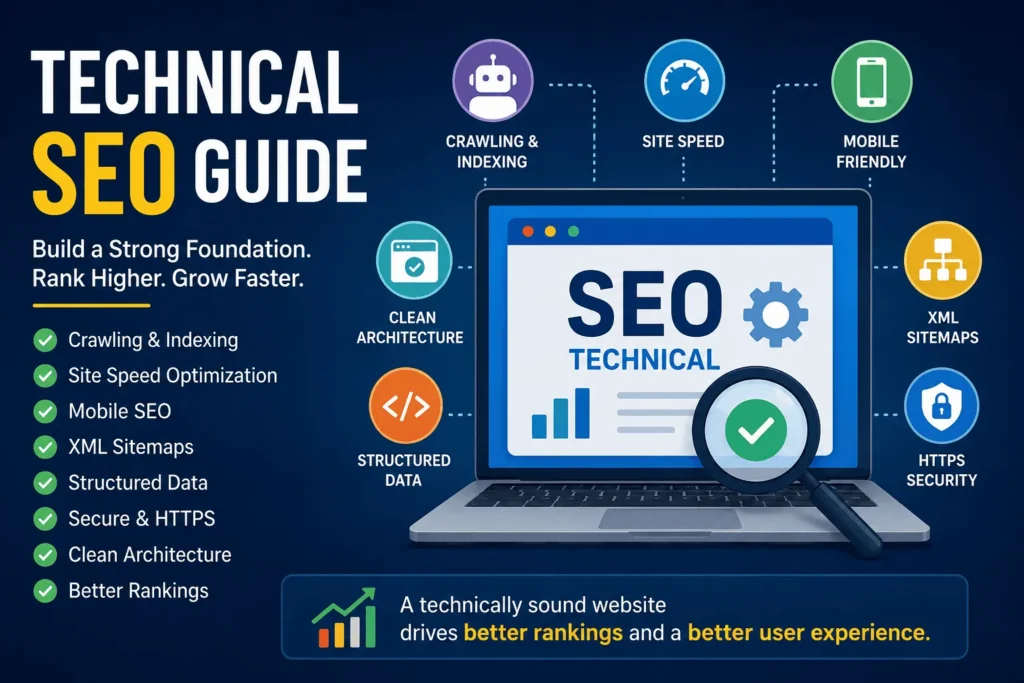
Technical SEO is the foundation that helps a website become easier for search engines to discover, crawl, understand, and index. While content, backlinks, and keywords are important parts of SEO, they cannot perform at their full potential if the website itself has technical problems.
Imagine opening a physical store with excellent products but hiding the entrance behind a locked door. Customers may want what you sell, but they cannot get inside. Technical SEO works in a similar way: it makes sure search engines and users can access the important parts of your website.
Google’s current technical requirements are relatively straightforward: Googlebot must be able to access the page, the page should return a successful response, and the content should be indexable. Meeting those requirements does not guarantee rankings or indexing, but failing them can prevent a page from appearing properly in search.
This guide explains technical SEO in simple language, covers the major areas businesses should focus on, provides practical examples, and explains how PrimeFutureAI can support businesses that want to strengthen their online presence.
What Is Technical SEO?
Technical SEO is the process of improving the technical structure and performance of a website so that search engines can efficiently crawl, render, understand, and index its pages.
Unlike traditional content SEO, technical SEO is less about writing more words and more about making the website work correctly.
It can include:
- Website speed and performance
- Mobile usability
- Crawlability
- Indexing
- XML sitemaps
- Robots.txt
- Canonical URLs
- Redirects
- HTTPS security
- Internal linking
- Structured data
- JavaScript rendering
- Website architecture
- Broken links and error pages
- Core Web Vitals
A technically healthy website creates a stronger environment for content and other SEO activities to succeed.
Why Technical SEO Matters for Businesses?
A business website can have excellent products and helpful content but still struggle to receive organic traffic if important pages cannot be discovered or indexed.
For example, suppose an online clothing store publishes 500 product pages. The products are attractive, the descriptions are useful, and the business has earned backlinks. However, an accidental website configuration blocks search engine crawlers from accessing several important sections.
Those products may receive little or no visibility from organic search.
This illustrates an important principle: SEO is not only about what a website says; it is also about whether search engines can properly access and interpret what the website says.
Technical SEO also affects visitors. A slow, confusing, insecure, or poorly structured website can frustrate potential customers before they even see the value of the business.
Google recommends HTTPS, mobile-friendly experiences, and strong page performance, while its documentation also points website owners toward Core Web Vitals and Search Console for monitoring performance.
The Main Elements of Technical SEO
1. Crawlability
Crawlability refers to how easily search engine crawlers can discover and access website pages.
Search engines use automated crawlers to explore websites. If important pages are blocked, buried, or difficult to reach, search engines may have difficulty discovering them.
One common file involved in crawl management is robots.txt.
However, robots.txt should be used carefully. It can control crawling, but it should not be treated as the primary method for preventing a URL from being indexed. Google recommends using appropriate indexing controls, such as noindex, when the goal is to prevent indexing.
Real-life example:
A local accounting firm launches a new website with 30 service pages. The homepage is indexed, but several important service pages are missing from search results. An audit discovers that a robots.txt rule accidentally prevents crawlers from accessing a directory containing those pages.
Removing the incorrect restriction allows search engines to access the pages.
The lesson is simple: before creating more content, make sure search engines can actually reach the content you already have.
2. Indexing
Crawling and indexing are not the same thing.
Crawling means a search engine discovers and accesses a page. Indexing means the search engine processes that page and decides whether it should be stored and potentially served in search results.
A website can therefore have pages that are technically crawlable but still have indexing problems.
Businesses should regularly check:
- Which important pages are indexed
- Which pages are excluded
- Whether accidental
noindextags exist - Whether canonical tags point to the correct URLs
- Whether important pages return errors
- Whether duplicate pages are confusing search engines
Google’s Search Console provides reports that can help website owners investigate indexing and crawling issues.
3. XML Sitemaps
An XML sitemap gives search engines a structured list of URLs that a website considers important.
Think of it as a map of the website.
For a small website, discovering pages may be relatively easy. For a large ecommerce store, publishing hundreds or thousands of URLs can make discovery more complicated.
A well-maintained sitemap can help search engines discover important pages, particularly on large or frequently updated websites. Google recommends using sitemaps as one way to help its crawlers discover and prioritize URLs.
A sitemap should not simply contain every URL imaginable. Businesses should keep it clean and focused on relevant, canonical, indexable pages.
4. Website Architecture
Website architecture describes how pages are organized and connected.
A good structure helps users and search engines understand the relationship between different sections.
For example:
Homepage → Services → SEO Services → Technical SEO
is easier to understand than a website where every page is disconnected from every other page.
A strong architecture can also make internal linking more useful.
For an ecommerce website, a logical structure might look like:
Homepage → Men’s Clothing → Shirts → Formal Shirts → Product
This creates a clear hierarchy.
5. Internal Linking
Internal links connect one page on a website to another page on the same website.
They can help visitors discover related information and help search engines understand relationships between pages.
Imagine a digital marketing company publishes an article called “How to Improve Google Rankings.” Within that article, it links naturally to related pages about keyword research, content marketing, technical SEO, and analytics.
The website is creating a connected information network rather than a collection of isolated pages.
Internal linking should be natural and useful. Adding dozens of unnecessary links to a page does not automatically make the page better.
6. Page Speed and Core Web Vitals
People expect websites to respond quickly.
If a page takes too long to load, visitors may leave before reading the content or purchasing a product.
Technical SEO therefore includes performance optimization.
Common areas to investigate include:
- Large images
- Unnecessary JavaScript
- Excessive third-party scripts
- Poor server performance
- Unoptimized CSS
- Browser caching
- Large media files
- Layout shifts
Core Web Vitals provide a standardized way to evaluate important aspects of user experience. Google recommends using its performance reporting and testing tools to understand how pages perform.
Real-life example:
Consider an online furniture store where product images are extremely large. A visitor on a mobile connection waits several seconds before the product page becomes usable.
Compressing images, improving delivery, and removing unnecessary scripts can make the experience smoother.
The improvement is not merely an SEO exercise. Faster pages can make it easier for customers to browse products and complete purchases.
7. Mobile SEO
A website must work properly on smartphones and tablets.
This is particularly important because many customers now discover businesses through mobile search.
A mobile-friendly website should have:
- Readable text
- Easy navigation
- Properly sized buttons
- Responsive layouts
- Fast loading
- Content that remains accessible on smaller screens
Google has also stated that its mobile crawler is the default crawler for websites, making mobile readiness an important part of modern SEO.
8. HTTPS and Website Security
HTTPS encrypts communication between a visitor’s browser and the website.
For businesses handling customer information, accounts, payments, or contact forms, security is essential.
A technically strong SEO strategy should check for:
- Valid SSL/TLS configuration
- HTTPS across important pages
- HTTP-to-HTTPS redirects
- Mixed-content problems
- Consistent canonical URLs
Security is not something businesses should consider optional simply because they are focused on rankings.
9. Canonical URLs and Duplicate Content
Websites can sometimes make the same or very similar content available through multiple URLs.
For example:
example.com/product
and
example.com/product?color=blue
could potentially represent the same core product.
Canonicalization helps communicate which URL should be considered the preferred version.
This becomes particularly important for ecommerce websites, filtering systems, tracking parameters, and large websites with dynamically generated URLs.
10. Redirects and Broken Pages
Websites change constantly.
Products are discontinued. Services are renamed. Blog posts are moved. Website platforms are replaced.
If an old URL disappears without proper handling, visitors may encounter a 404 error.
When a page has permanently moved to another relevant location, a properly implemented 301 redirect can help users reach the new destination and communicate the change to search engines. Google specifically recommends 301 redirects for permanent URL moves.
Businesses should also watch for redirect chains, redirect loops, and large numbers of broken internal links.
Structured Data and Schema Markup
Structured data provides additional machine-readable information about a page.
For example, a business might use appropriate structured data to describe information about an organization, product, article, event, or other supported content type.
The goal is not to “trick” search engines. The goal is to provide clearer information about what a page represents.
Google explains that structured data can help it understand page content and, when eligible, can support certain enhanced search appearances.
For example, a recipe website could provide structured information about ingredients, preparation time, and other relevant properties.
An ecommerce website could provide appropriate product information.
Correct implementation matters. Structured data should accurately represent visible page content and follow search engine guidelines.
JavaScript SEO
Modern websites often rely heavily on JavaScript.
JavaScript can create impressive user experiences, but it can also introduce SEO complications if important content or links are difficult for search engines to process.
Businesses should check whether:
- Important content exists in the rendered page
- Navigation links are discoverable
- Essential information is not hidden behind problematic scripts
- Pages work without unnecessary client-side delays
- Search engines can render important content correctly
Google provides specific guidance for developers dealing with JavaScript-based websites and recommends testing how important pages are rendered and discovered.
Technical SEO Example: A Small Local Business
Imagine a dental clinic launches a website.
The website has excellent service descriptions and attractive photographs, but the owner notices that only the homepage appears consistently in Google.
A technical SEO review might discover several issues:
- Some service pages have accidental
noindextags. - The XML sitemap has outdated URLs.
- Several internal links point to old pages.
- The mobile menu is difficult to use.
- Large images slow down the homepage.
- Some old URLs produce unnecessary redirect chains.
Fixing these issues does not guarantee a first-page ranking. However, it creates a much healthier technical environment in which the clinic’s content and local SEO strategy can perform.
Technical SEO Example: An Ecommerce Store
Now consider an online electronics store with thousands of products.
The company has a common ecommerce problem: filtering creates hundreds of URL variations.
Without careful technical controls, search engines could encounter huge numbers of similar URLs.
A technical SEO strategy might include:
- Clear canonicalization
- Controlled crawl paths
- Clean XML sitemaps
- Strong category architecture
- Internal links to priority products
- Proper handling of discontinued products
- Optimized images
- Mobile performance improvements
- Structured product information
The objective is to make the important pages easy to discover and understand while reducing unnecessary technical noise.
How to Conduct a Technical SEO Audit
A practical audit can follow this order:
Step 1: Check Website Accessibility
Make sure important pages load correctly and return appropriate HTTP responses.
Step 2: Review Indexing
Look for pages that should be indexed but are excluded.
Step 3: Inspect Robots.txt
Make sure important pages and resources are not accidentally blocked.
Step 4: Review the XML Sitemap
Check that the sitemap contains the URLs the business actually wants search engines to discover.
Step 5: Analyze Site Architecture
Identify orphan pages, unnecessary depth, and confusing navigation.
Step 6: Check Performance
Review page speed and Core Web Vitals, especially for important landing pages.
Step 7: Test Mobile Experience
Open key pages on mobile devices and check navigation, readability, functionality, and speed.
Step 8: Review Redirects and Errors
Find broken links, 404 pages, redirect chains, and incorrect redirects.
Step 9: Review Structured Data
Check whether relevant structured data is implemented accurately and without errors.
Step 10: Monitor Continuously
Technical SEO should not be treated as a one-time project. Website changes can create new problems.
How PrimeFutureAI Helps Businesses Online?
PrimeFutureAI can be positioned as a useful technology and digital-growth resource for businesses looking to make better use of AI and online tools.
Based on the public description currently associated with PrimeFutureAI, the platform focuses on AI tools, guides, tips, and practical information intended to help beginners and experienced users improve productivity and creativity.
For businesses, that kind of AI-focused approach can complement technical SEO in several practical ways.
1. Supporting Smarter Content Planning
AI tools can help businesses brainstorm topics, organize content ideas, develop outlines, and identify questions customers may have.
The important point is that AI should support strategy rather than replace human judgment.
A business can use AI to speed up repetitive research and planning while its team provides industry knowledge, experience, accuracy, and brand personality.
2. Improving Productivity
SEO involves many repetitive activities.
Businesses may need to organize content inventories, review pages, create briefs, summarize reports, identify patterns, and prepare optimization tasks.
AI-assisted workflows can help reduce the amount of manual work involved.
This gives business owners and marketing teams more time to focus on strategy, customers, products, and revenue-generating activities.
3. Supporting Website and SEO Workflows
PrimeFutureAI can help businesses discover and learn about AI tools that may support areas such as content development, productivity, research, marketing, and digital operations.
For a growing company, combining AI tools with technical SEO can create a more efficient workflow:
AI-assisted research → Better planning → Better content → Strong technical foundation → Improved online visibility → More opportunities for customers
AI itself does not guarantee rankings. The value comes from using the right technology for the right business problem.
4. Helping Businesses Adapt to an AI-Driven Internet
Online search and digital marketing continue to evolve.
Businesses increasingly need to understand not only traditional search engines but also how people discover information through AI-powered tools and digital platforms.
A business that builds a technically sound website, publishes genuinely useful information, maintains accurate business data, and uses AI responsibly can create a stronger long-term digital presence.
Common Technical SEO Mistakes to Avoid
Ignoring Mobile Users
A beautiful desktop website is not enough if mobile visitors struggle to navigate it.
Blocking Important Pages
A single incorrect robots.txt or noindex configuration can prevent important content from receiving search visibility.
Publishing Without Checking Indexing
Creating hundreds of articles is inefficient if important pages are not being properly crawled and indexed.
Using Too Many Plugins
On some website platforms, excessive plugins can increase complexity, slow pages, and create conflicts.
Forgetting Redirects During a Redesign
Changing URLs without a proper migration plan can create broken links and lost traffic opportunities.
Treating Technical SEO as a One-Time Task
A website is constantly changing. New products, plugins, pages, developers, designs, and migrations can introduce technical issues.
Technical SEO FAQs
Q: What is technical SEO in simple words?
Technical SEO is the process of improving the behind-the-scenes parts of a website so search engines can access, understand, and index its content more effectively.
Q: Is technical SEO important for small businesses?
Yes. A small business does not need a huge website to benefit from technical SEO. Even a website with a few dozen pages can suffer from indexing, speed, mobile, security, or navigation problems.
Q: Does technical SEO guarantee higher rankings?
No. Technical SEO creates a strong foundation, but rankings also depend on factors such as content quality, relevance, competition, authority, user experience, and many other signals.
Q: How often should a technical SEO audit be performed?
There is no universal schedule for every website. A small, stable website may require less frequent comprehensive audits, while ecommerce sites, publishers, and frequently updated websites may need more regular monitoring.
Q: What is the difference between technical SEO and content SEO?
Technical SEO focuses primarily on the website’s technical foundation, including crawling, indexing, performance, architecture, and rendering. Content SEO focuses on creating useful and relevant information that satisfies search intent.
The two work best together.
Q: Can AI replace technical SEO professionals?
AI can assist with research, analysis, documentation, and repetitive workflows, but technical SEO often requires context, implementation knowledge, testing, and business judgment. AI is most valuable when it helps people work faster and make better-informed decisions.
Q: Does a sitemap improve rankings?
A sitemap does not automatically improve rankings. Its main purpose is to help search engines discover URLs and understand which pages a site considers important.
Final Thoughts
Technical SEO is the infrastructure behind a successful search-friendly website.
Content may attract visitors, backlinks may strengthen authority, and marketing campaigns may generate awareness, but technical problems can undermine all of those efforts.
A strong technical SEO strategy focuses on making important pages accessible, indexable, fast, secure, mobile-friendly, logically organized, and easy for search engines to understand.
For businesses, the best approach is not to chase every technical SEO trend. Instead, focus on fundamentals, monitor the website regularly, fix issues based on business impact, and combine technical improvements with valuable content and a clear digital strategy.
At the same time, AI can help businesses work more efficiently. Resources such as PrimeFutureAI can help companies and professionals explore AI tools and practical ways to incorporate AI into their online workflows. Used responsibly, AI and technical SEO can work together: technical SEO builds the foundation, useful content builds relevance, and intelligent technology helps businesses scale their efforts.
A website that is technically healthy today is better prepared to compete, grow, and adapt tomorrow.