A website can have excellent content and still struggle to attract organic traffic. The reason is often hidden in technical errors, weak page structure, poor indexing, slow performance, or content that does not fully satisfy search intent. This is why an SEO audit is important.
An SEO audit is a systematic review of your website to identify problems that may prevent search engines from discovering, understanding, indexing, and ranking your pages. It also helps you find opportunities to improve user experience and organic visibility.
A good SEO audit should not be limited to checking keywords. You need to examine technical SEO, on-page optimization, content quality, internal links, mobile usability, website speed, security, and overall search performance.
Google recommends looking at page experience as a combination of factors, including Core Web Vitals, HTTPS, mobile usability, intrusive elements, and how easily users can access the main content.
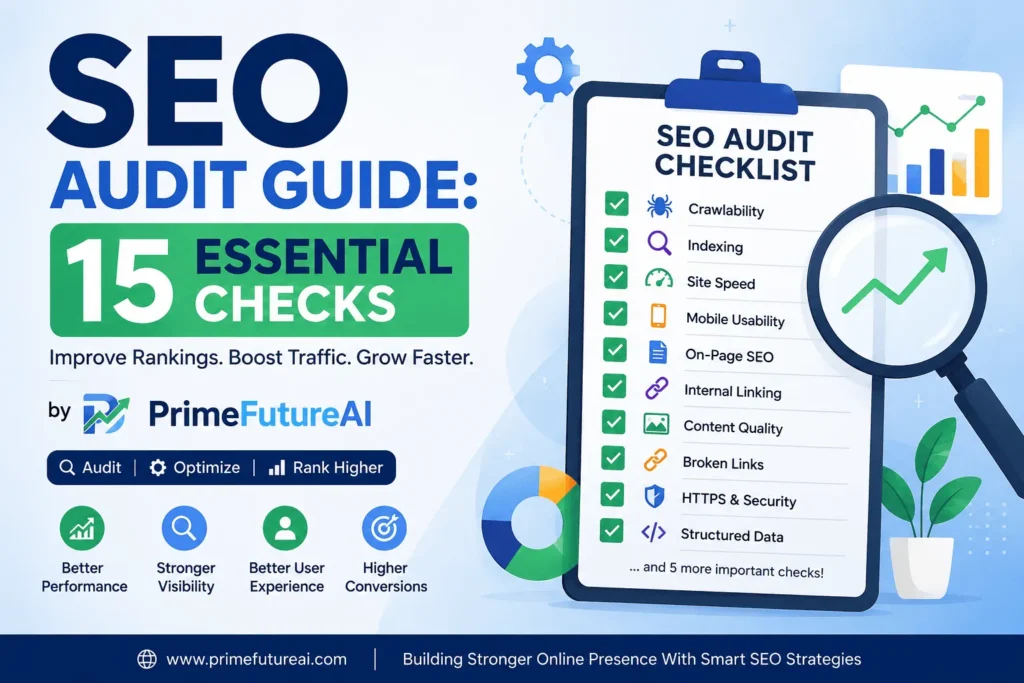
Below is a practical 15-point SEO audit checklist you can use today.
What Is an SEO Audit?
An SEO audit is a detailed examination of a website’s search engine optimization health.
Think of it like a health checkup for your website. Instead of checking blood pressure or temperature, you check things such as:
- Whether Google can crawl your pages
- Whether important pages are indexed
- Whether your website loads quickly
- Whether pages work properly on mobile
- Whether titles and headings are optimized
- Whether content matches search intent
- Whether internal links are useful
- Whether broken links exist
- Whether pages have duplicate or thin content
- Whether your website is secure
- Whether structured data is implemented correctly
The purpose is not simply to create a long list of errors. The real goal is to identify the issues that can have the greatest impact on organic traffic and conversions.
15 Things You Must Check in an SEO Audit
1. Check Website Crawlability
The first question is simple:
Can search engines successfully crawl your website?
If important pages cannot be discovered or crawled, optimizing their keywords will not solve the problem.
Check your:
robots.txtfile- XML sitemap
- Internal links
- Crawl errors
- Blocked resources
- Important pages that may accidentally be restricted
For example, imagine an online store has 500 product pages but accidentally blocks an important product directory through robots.txt. Search engines may have difficulty accessing those URLs.
Real-Life Example
A business publishes 50 new service pages but receives almost no impressions from them. During an SEO audit, the team discovers that a robots.txt rule is preventing crawlers from accessing part of the website.
Fixing the crawl restriction can be far more valuable than publishing another 50 articles.
2. Review Google Search Console Indexing
The second major checkpoint is indexing.
A page may exist on your website without appearing in Google’s index. Search Console can help you understand which URLs Google knows about and why some URLs are excluded.
Look for issues such as:
- Crawled but currently not indexed
- Discovered but currently not indexed
- Pages blocked by robots.txt
- Pages marked as noindex
- Duplicate URLs
- Incorrect canonical URLs
- Soft 404 situations
- Unexpected indexing exclusions
Do not automatically assume that every excluded URL is a problem. Some pages, such as low-value administrative or duplicate URLs, may appropriately remain outside Google’s index.
Real-Life Example
Suppose a blog has 300 articles but only 120 are indexed. Instead of immediately writing more content, an SEO audit should investigate why the remaining pages are excluded.
The problem might be duplicate content, weak internal linking, poor quality, incorrect canonicalization, or other technical signals.
3. Inspect Your XML Sitemap
Your XML sitemap helps search engines discover URLs that you want them to know about.
During an audit, make sure your sitemap:
- Exists
- Loads correctly
- Is submitted to Google Search Console
- Contains important canonical URLs
- Does not contain unnecessary redirects
- Does not contain broken URLs
- Is updated when appropriate
A sitemap should support your SEO strategy rather than become a collection of every URL generated by your CMS.
Example
If your website has:
- 100 useful pages
- 20 deleted pages
- 15 redirected URLs
- 30 duplicate parameter URLs
your sitemap should not blindly contain all 165 URLs.
The focus should be on the URLs you actually want search engines to discover and consider.
4. Check Canonical Tags
Canonical tags help search engines understand which version of a URL should be treated as the preferred version when similar or duplicate URLs exist.
During an SEO audit, check whether important pages have appropriate canonical tags.
Look for:
- Missing canonicals
- Canonicals pointing to unrelated pages
- Multiple conflicting canonical signals
- Canonicals pointing to redirected URLs
- Incorrect canonicalization of important pages
Real-Life Example
An e-commerce website may have the same product accessible through several category URLs. Without a sensible URL and canonical strategy, search engines may encounter several versions of essentially the same product page.
A proper audit can identify these situations and help create a cleaner URL structure.
5. Analyze Website Speed and Core Web Vitals
Website performance matters for both users and SEO.
Google’s current page-experience guidance highlights Core Web Vitals as an important part of providing a good page experience. The current Core Web Vitals metrics include LCP, INP, and CLS.
Check:
LCP — Largest Contentful Paint
This measures how quickly the main visible content loads.
INP — Interaction to Next Paint
This evaluates how responsive a page is when users interact with it.
CLS — Cumulative Layout Shift
This measures unexpected movement of page elements.
Also inspect:
- Large images
- Excessive JavaScript
- Render-blocking resources
- Slow server responses
- Unnecessary plugins
- Third-party scripts
- Poor caching
- Heavy page builders
Real-Life Example
Imagine a service website takes six seconds to become usable on a mobile phone. Visitors may leave before reading the service information.
Compressing images, reducing unnecessary scripts, improving caching, and optimizing the server can improve the overall experience.
Remember that a perfect performance score alone does not guarantee high rankings. Google specifically notes that good Core Web Vitals do not automatically mean a page will rank at the top.
6. Test Mobile-Friendliness
Most modern websites need to work properly on smartphones.
During your SEO audit, open important pages on mobile devices and check:
- Text readability
- Button sizes
- Navigation
- Image scaling
- Forms
- Pop-ups
- Page width
- Content visibility
- Horizontal scrolling
Google’s page-experience guidance specifically recommends checking whether content displays well on mobile devices.
Example
A company website may look perfect on a desktop but have a menu that overlaps the logo on mobile. If visitors struggle to navigate the site, the problem should be fixed even if the desktop version looks excellent.
7. Review Title Tags
Your title tag tells users and search engines what a page is about.
Audit every important page for:
- Missing titles
- Duplicate titles
- Unclear titles
- Titles unrelated to search intent
- Excessively repetitive keyword usage
- Titles that fail to communicate value
Instead of writing:
Home | Website
a service business might use something more descriptive, such as:
SEO Services for Growing Businesses | PrimeFutureAI
The title should accurately represent the page rather than simply stuffing keywords into it.
8. Improve Meta Descriptions
Meta descriptions are another important part of your search appearance.
Check whether important pages have:
- Unique descriptions
- Clear messaging
- Relevant page information
- Natural keyword usage
- A reason for users to click
Avoid creating one generic description and using it across the entire website.
Example
A digital marketing service page should have a description explaining that specific service rather than using the same description as the homepage.
A useful meta description should help searchers understand what they will find after clicking.
9. Audit Headings and Content Structure
Headings make content easier to understand for both users and search engines.
Check:
- Main H1
- H2 sections
- H3 subsections
- Heading hierarchy
- Keyword relevance
- Readability
Your headings should guide readers naturally through the topic.
For example:
H1: SEO Audit Checklist
H2: Technical SEO Checks
H3: Crawlability
H3: Indexing
H2: On-Page SEO Checks
H3: Title Tags
This structure makes a long article easier to scan.
10. Evaluate Search Intent and Content Quality
One of the most important parts of an SEO audit is asking:
Does this page actually satisfy what the searcher wants?
A page can contain the target keyword many times and still fail because it does not answer the user’s real question.
For each important page, identify the search intent:
- Informational
- Commercial
- Transactional
- Navigational
Then compare your page with what users are actually looking for.
Real-Life Example
Suppose someone searches:
“How to perform an SEO audit.”
If your page only promotes an SEO service and does not explain the audit process, it may not satisfy informational intent.
Adding practical steps, examples, explanations, and useful guidance can make the page much more relevant.
11. Find Thin, Duplicate, and Outdated Content
Not every published page adds value.
During an audit, look for:
- Very short pages with little useful information
- Duplicate articles
- Multiple pages targeting the same keyword
- Outdated information
- Pages with little organic traffic
- Old service pages
- Automatically generated low-value pages
Instead of deleting content randomly, evaluate each URL individually.
Possible actions include:
- Updating the content
- Expanding useful sections
- Combining similar pages
- Redirecting outdated pages
- Adding stronger internal links
- Removing genuinely unnecessary URLs
The objective is to make your website more useful rather than simply increasing its page count.
12. Audit Internal Linking
Internal links connect pages within your website.
A strong internal linking structure can help users discover related information and can help search engines understand relationships between pages.
Check whether:
- Important pages have internal links
- Blog posts link to relevant service pages
- Related articles connect with each other
- Anchor text is descriptive
- Important pages are not isolated
- Broken internal links are fixed
Real-Life Example
Imagine a website publishes 100 blog posts about SEO but none of those articles link to its SEO services page.
The website may be missing an opportunity to guide readers from informational content toward a relevant commercial page.
A better structure could connect:
SEO Basics → On-Page SEO → Technical SEO → SEO Audit → SEO Services
This creates a logical content journey.
13. Check Broken Links and Redirects
Broken links can create poor user experiences and make website maintenance more difficult.
During an audit, identify:
- 404 pages
- Broken internal links
- Broken external links
- Redirect chains
- Redirect loops
- Incorrect redirects
- Old URLs that should point to relevant replacements
For permanent URL changes, make sure redirects are configured appropriately.
Example
Suppose an old service URL is:
/seo-services-old/
and the business has replaced it with:
/seo-services/
A visitor or search engine reaching the old URL should not simply hit a dead page if a relevant replacement exists.
14. Review Images and Accessibility
Images can improve content, but poorly optimized images can also slow down a website.
Check:
- Image file size
- Image dimensions
- Modern image formats
- Descriptive filenames
- Alt text where appropriate
- Lazy loading for suitable below-the-fold images
- Image display on mobile
Avoid uploading a 4 MB image when a much smaller version would provide the same visual quality.
Example
Instead of:
IMG_9274.jpg
use a meaningful filename such as:
seo-audit-checklist.jpg
For meaningful images, descriptive alternative text can also help communicate the image’s purpose to users who rely on assistive technologies.
15. Check HTTPS, Structured Data, and Overall Trust Signals
Your final audit section should examine website security and structured data.
HTTPS
Make sure important pages are served securely through HTTPS and that visitors do not encounter mixed-content warnings.
Google includes secure delivery through HTTPS among the page-experience areas site owners should check.
Structured Data
Review whether appropriate structured data is implemented correctly.
Depending on the website, relevant structured data may include:
- Organization
- Article
- Breadcrumb
- Product
- Local Business
- Service
- Other supported structured-data types
Do not add structured data simply to add code. It should accurately represent visible information on the page and follow the applicable guidelines.
Trust and Business Information
Also review whether visitors can easily understand:
- Who operates the website
- What the business offers
- How to contact the company
- Who created important content
- Whether important claims are supported
- What policies apply
These elements can make a website feel more legitimate and useful.
How to Prioritize SEO Audit Problems
An SEO audit can produce dozens of findings. You do not need to fix everything simultaneously.
A practical priority system is:
High Priority
Fix problems that can prevent important pages from appearing or functioning properly.
Examples:
- Important pages blocked from crawling
- Incorrect noindex directives
- Major indexing problems
- Broken website sections
- Incorrect canonicalization
- Serious mobile problems
Medium Priority
Next, improve issues that can limit performance or user experience.
Examples:
- Slow pages
- Weak internal linking
- Duplicate titles
- Missing metadata
- Poor content structure
- Broken links
Lower Priority
Finally, work on smaller improvements such as:
- Minor wording changes
- Image filename cleanup
- Small formatting improvements
- Low-impact metadata refinements
This approach helps businesses spend their SEO budget where it can have the greatest impact.
How PrimeFutureAI Helps Businesses Online
PrimeFutureAI can help businesses build a stronger online presence by combining practical SEO strategies with digital marketing support.
For businesses that want sustainable organic growth, SEO should go beyond publishing articles. A complete strategy can involve technical SEO, on-page optimization, content planning, keyword research, website audits, link-building strategies and ongoing performance improvement.
PrimeFutureAI can help businesses identify SEO weaknesses, improve website structure, create search-focused content strategies, and strengthen their overall digital visibility.
For example, if a business is publishing content regularly but receiving very little organic traffic, the solution may not be simply “write more articles.” A deeper review can uncover indexing issues, weak keyword targeting, poor internal linking, technical problems, or content that does not match search intent.
That is where a structured SEO approach can make a difference.
Real-Life SEO Audit Scenario
Consider a small digital marketing company with 150 website pages.
The company publishes new blogs every week but receives fewer visitors than expected.
An SEO audit discovers:
- Several important pages have weak internal links.
- Some blog posts target almost identical topics.
- Several images are unnecessarily large.
- A few pages have duplicate titles.
- Some outdated URLs are still receiving traffic.
- The website has several slow-loading pages.
- Service pages are not properly connected to relevant blog content.
Instead of publishing another 50 articles, the company first fixes these problems.
The result is a healthier website structure, better user navigation, stronger content relationships, and a more organized SEO foundation.
This illustrates an important lesson:
More content does not automatically equal more traffic. Better optimization can make existing content work harder.
SEO Audit Checklist: Quick Summary
Before finishing your audit, ask yourself:
- Can search engines crawl important pages?
- Are valuable pages indexed?
- Is the XML sitemap clean?
- Are canonical tags correct?
- Are important pages fast enough?
- Does the site work well on mobile?
- Are title tags unique and relevant?
- Are meta descriptions useful?
- Is the heading structure logical?
- Does content match search intent?
- Is thin or duplicate content addressed?
- Is internal linking strong?
- Are broken links and redirects under control?
- Are images optimized?
- Is HTTPS working correctly?
- Is structured data accurate where appropriate?
If you can answer these questions confidently, you have covered the major areas of a practical SEO audit.
Frequently Asked Questions About SEO Audits
Q: What is the purpose of an SEO audit?
An SEO audit identifies technical, content, on-page, performance, and structural problems that may limit a website’s organic search performance. It also reveals opportunities for improvement.
Q: How often should I perform an SEO audit?
There is no single schedule for every website. A small website may benefit from a detailed audit periodically and regular smaller checks, while a large website or frequently changing e-commerce site may need more continuous monitoring.
Important changes such as website redesigns, migrations, major URL changes, traffic drops, or indexing problems are good reasons to perform an additional audit.
Q: Can I perform an SEO audit myself?
Yes. Small websites can perform many basic checks using tools such as Google Search Console, PageSpeed Insights, browser tools, and website crawlers. Larger websites, complex e-commerce platforms, and JavaScript-heavy websites can require more advanced technical analysis.
Q: Does an SEO audit guarantee higher Google rankings?
No. An audit identifies problems and opportunities; it does not guarantee rankings. Google evaluates many factors, and fixing technical issues is only one part of a successful SEO strategy. Google itself notes that even good Core Web Vitals do not guarantee top search rankings.
Q: How long does an SEO audit take?
The time depends on website size and complexity. A small business website can be reviewed relatively quickly, while a large e-commerce or international website may require substantially more analysis.
Q: What should I fix first after an SEO audit?
Start with problems that can prevent search engines from accessing, indexing, or correctly understanding valuable pages. After those are addressed, move toward performance, content, internal linking, on-page optimization, and smaller improvements.
Final Thoughts
An SEO audit is not just a technical checklist. It is a way to understand why a website may not be reaching its organic search potential.
The most effective audits look at the entire website rather than focusing on one metric. Crawlability, indexing, site speed, mobile usability, content quality, search intent, internal links, metadata, redirects, images, security, and structured data all deserve attention.
Most importantly, do not treat an audit as a report that sits in a folder. Turn the findings into an action plan. Fix high-impact problems first, monitor the results, and continue improving the website over time.
For businesses competing online, a healthy SEO foundation can make future content, marketing, and authority-building efforts more effective. A structured approach supported by ongoing analysis such as the services offered by PrimeFutureAI can help turn SEO from a collection of random tasks into a more focused digital growth strategy.