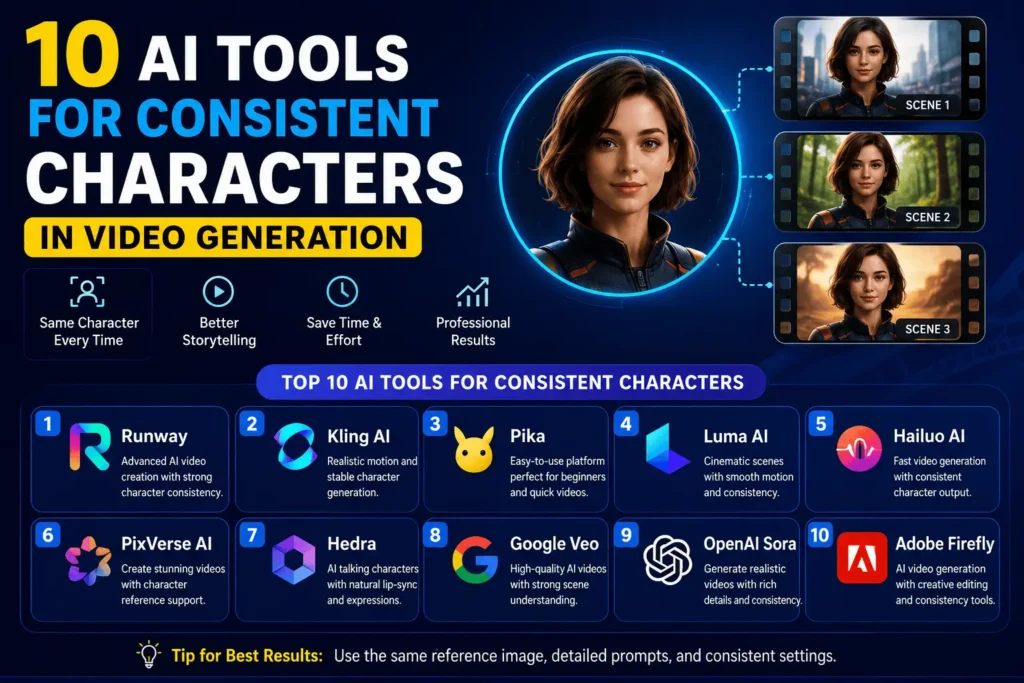
Creating AI videos has become easier than ever, but one challenge still affects many creators. A character may look perfect in one scene and completely different in the next. Hair, clothes, facial features, or expressions can change unexpectedly, making the final video feel unprofessional.
This is why many creators now use AI tools for consistent characters. These platforms are designed to keep the same character identity across multiple scenes, camera angles, and even different videos. Whether you are making YouTube content, animated stories, advertisements, or educational videos, character consistency helps your audience recognize and connect with your content.
In this guide, you’ll discover ten Ai tools for consistent characters that help maintain character consistency, their strengths, and when each one works best.
Why Character Consistency Matters?
When a character keeps changing throughout a video, viewers may become distracted. A consistent appearance creates a smoother viewing experience and makes storytelling much more believable.
Some major benefits include:
- Builds brand identity
- Improves storytelling
- Makes videos look more professional
- Saves editing time
- Creates a stronger connection with viewers
For businesses, consistent AI characters can also become digital brand ambassadors used across marketing campaigns.
1. Runway
Runway offers powerful AI video generation features with tools that help creators keep subjects visually similar between scenes. By using image references and editing controls, creators can reduce unwanted changes.
Best For
- Short films
- Commercial videos
- Marketing campaigns
Key Features
- Image-to-video generation
- Scene editing
- Motion control
- AI video enhancement
Real-Life Example
A clothing company creates a virtual model wearing different outfits across multiple product videos. The same AI character appears throughout the campaign, helping customers recognize the brand.
2. Kling AI
Kling AI has gained popularity for producing realistic motion while preserving character appearance. It performs well with cinematic scenes and natural movement.
Best For
- Storytelling
- Social media videos
- Creative projects
Key Features
- Realistic animation
- Character reference support
- High-quality rendering
Real-Life Example
A travel creator builds an AI host who appears in every destination video, making the channel feel more personal and recognizable.
3. Pika
Pika allows users to transform text and images into engaging AI videos. It supports reference images that help maintain similar character designs.
Best For
- Beginners
- Short-form content
- Marketing videos
Key Features
- Easy interface
- Fast rendering
- Image-to-video workflow
Real-Life Example
A small business owner creates weekly product videos featuring the same animated spokesperson instead of hiring actors.
4. Luma AI
Luma AI focuses on realistic visuals and smooth camera movement. It works well for creators who want cinematic-quality AI videos.
Best For
- Professional creators
- Product showcases
- Creative storytelling
Key Features
- High-quality visuals
- Camera controls
- Smooth scene transitions
Real-Life Example
A real estate agency uses the same virtual presenter to introduce multiple luxury homes across different cities.
5. Hailuo AI
Hailuo AI is becoming a popular choice for creators looking to generate visually appealing AI videos with stable character designs.
Best For
- AI influencers
- Short video creators
- Online educators
Key Features
- Fast video generation
- Character preservation
- Creative style options
Real-Life Example
An educator creates an animated teacher who explains every lesson, helping students instantly recognize the series.
6. PixVerse AI
PixVerse AI combines text prompts with reference images to improve character consistency throughout videos.
Best For
- YouTube creators
- Story animations
- Educational content
Key Features
- Reference image support
- Creative templates
- AI animation tools
Real-Life Example
A history channel creates the same fictional narrator for every episode to make the content more engaging.
7. Hedra
Hedra specializes in AI-generated talking characters that can speak naturally while maintaining a consistent identity.
Best For
- Talking avatars
- Business presentations
- AI spokespersons
Key Features
- Lip-sync technology
- Facial animation
- Voice integration
Real-Life Example
A software company introduces new features using the same AI presenter in every product announcement.
8. Google Veo
Google Veo produces high-quality AI-generated videos with impressive scene understanding. When combined with reference images and detailed prompts, creators can improve character consistency.
Best For
- Professional filmmakers
- Commercial productions
- Creative agencies
Key Features
- High-resolution video
- Natural motion
- Advanced prompt interpretation
Real-Life Example
A marketing agency creates a series of advertisements where the same digital athlete appears in different sports environments.
9. OpenAI Sora
Sora generates highly realistic AI videos from detailed prompts. By providing consistent descriptions and visual references, creators can produce characters that remain recognizable throughout a project.
Best For
- Storytelling
- Commercial content
- Creative filmmaking
Key Features
- Text-to-video generation
- Realistic environments
- Smooth animation
Real-Life Example
A children’s content creator develops a friendly AI explorer who appears in every educational adventure.
10. Adobe Firefly Video
Adobe Firefly integrates AI generation with creative editing workflows, making it easier to refine consistent characters after generation.
Best For
- Designers
- Marketing teams
- Creative professionals
Key Features
- Adobe ecosystem integration
- AI-powered editing
- Image reference workflow
Real-Life Example
A digital agency creates one branded mascot and uses it across advertisements, presentations, and social media campaigns.
How to Keep AI Characters Consistent?
Even the best AI tools perform better when used correctly. These simple practices can greatly improve consistency.
Use the Same Reference Image
Upload the same high-quality image whenever possible. This gives the AI a clear visual reference.
Write Detailed Prompts
Instead of writing “young woman,” describe the complete appearance, including hairstyle, clothing, facial features, accessories, and age.
Keep Clothing Consistent
Changing outfits can confuse some AI models. Keep colors and clothing styles similar unless you intentionally want a wardrobe change.
Save Your Prompt
Once you create a successful prompt, save it for future videos. Reusing the same prompt helps maintain consistency.
Generate Short Scenes
Creating shorter clips first often produces better character accuracy than generating a long video in one attempt.
Choosing the Right AI Tool
The best option depends on your goals.
- Beginners may prefer simple platforms with easy interfaces.
- YouTubers often benefit from tools that generate videos quickly.
- Businesses should look for tools that support branded characters.
- Professional creators may prefer advanced editing and cinematic controls.
Testing several platforms can help you find the one that best matches your workflow.
Future of AI Tools for Consistent Characters
AI video technology is improving rapidly. Future systems are expected to remember character identities across entire projects instead of relying only on prompts and reference images. This could make AI-generated movies, advertisements, online courses, and virtual influencers much easier to produce.
As these tools continue to evolve, creators will spend less time correcting character changes and more time focusing on storytelling and creativity.
Final Thoughts
Using AI tools for consistent characters can significantly improve the quality of AI-generated videos. Whether you create educational content, marketing campaigns, animated stories, or social media videos, keeping the same character throughout your project builds trust and creates a better viewing experience.
The ten Ai tools for consistent characters covered in this guide each offer unique strengths. Some are ideal for beginners, while others provide advanced features for professional creators. Exploring different options and using strong reference images, detailed prompts, and consistent settings can help you achieve more reliable results.
Frequently Asked Questions
Q:What are AI tools for consistent characters?
These are AI video generation platforms that help keep the same person’s appearance, clothing, and facial features consistent across multiple scenes or videos.
Q: Which AI tool is best for beginners?
Pika is a good starting point because of its simple interface and easy video creation process.
Q: Can AI maintain the same character in long videos?
Yes. Many modern AI tools can produce consistent characters, especially when creators use reference images and detailed prompts.
Q: Do I need a reference image?
While some tools can work without one, using a reference image usually produces much more consistent results.
Q: Are these tools useful for businesses?
Yes. Businesses can create virtual brand ambassadors, product presenters, customer support avatars, and marketing characters that remain recognizable across campaigns.
Q: Can YouTube creators benefit from consistent AI characters?
Absolutely. A recurring AI character helps build channel identity, improves audience recognition, and creates a more memorable viewing experience.